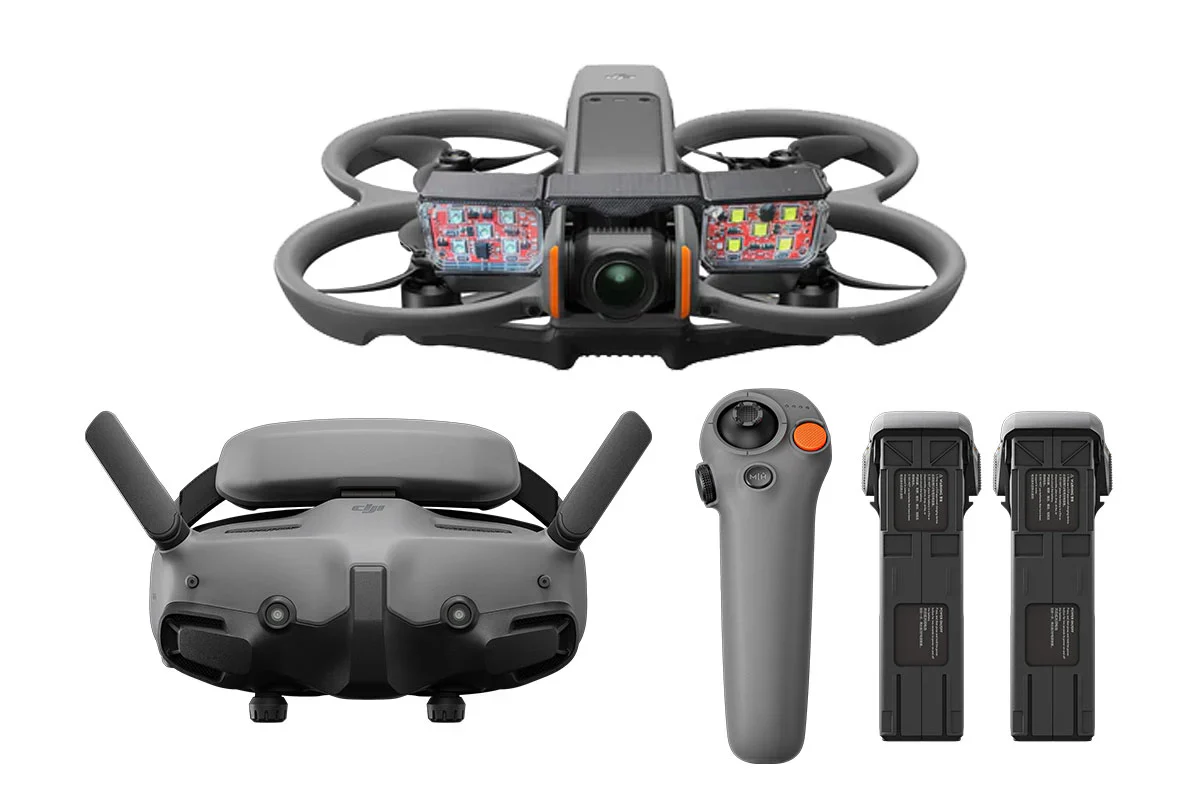
DJI Neo Combo - Palm-Sized 4K Stabilized Video Drone with 3 Batteries
DJI Neo Combo - Palm-Sized 4K Stabilized Video Drone with 3 Batteries
Description
This product does not qualify for FREE SHIPPING. Flat shipping rate is applied.
Rise and Shine, A Palm-Sized Drone for Vlogs.
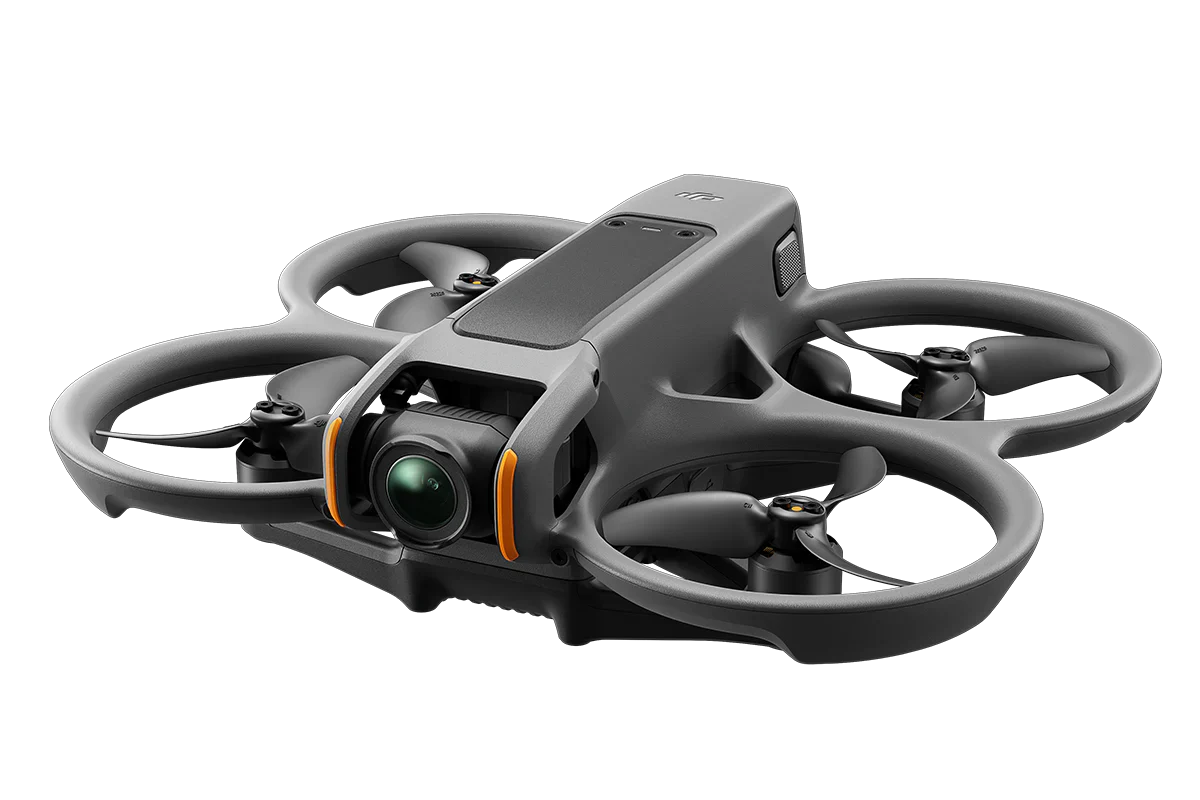
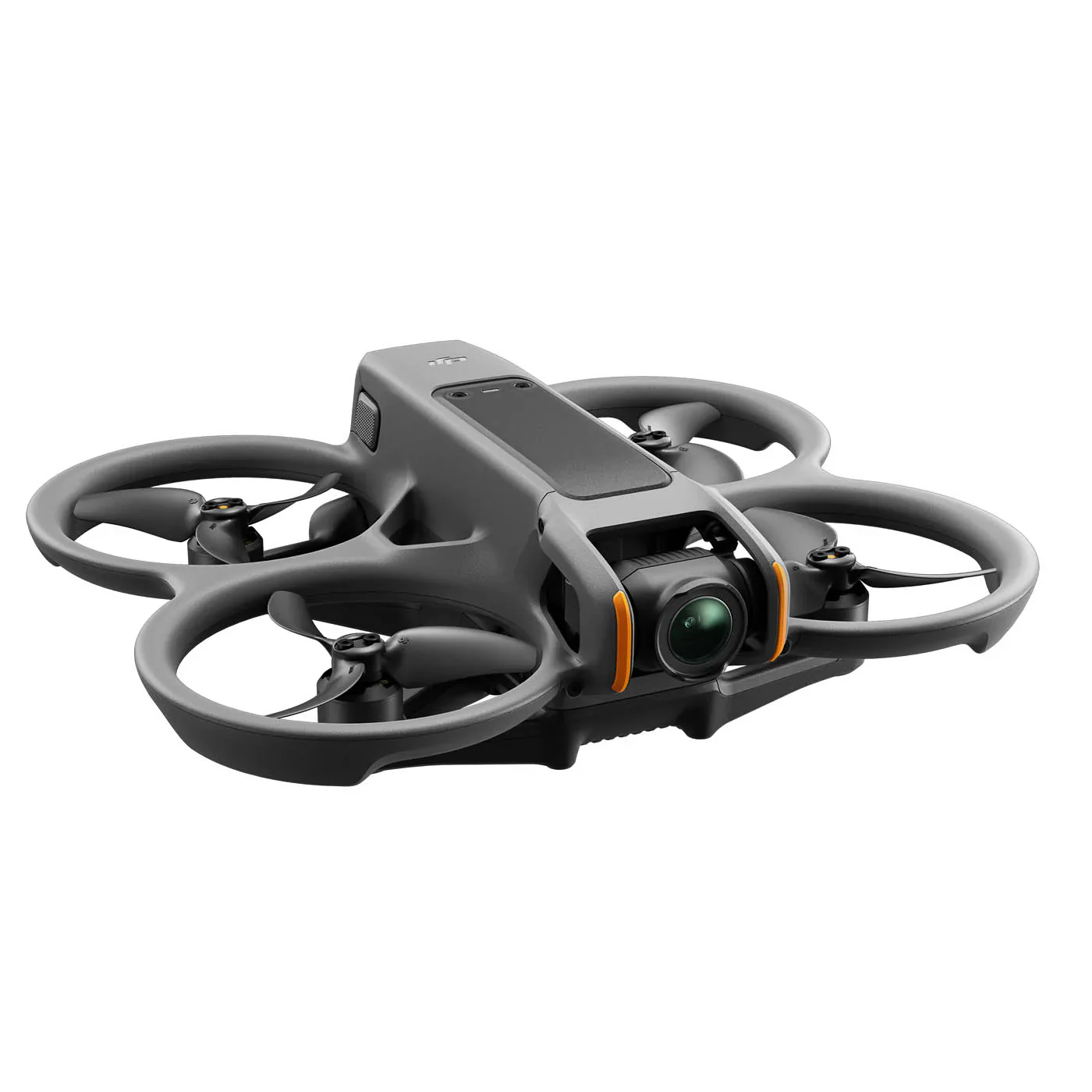
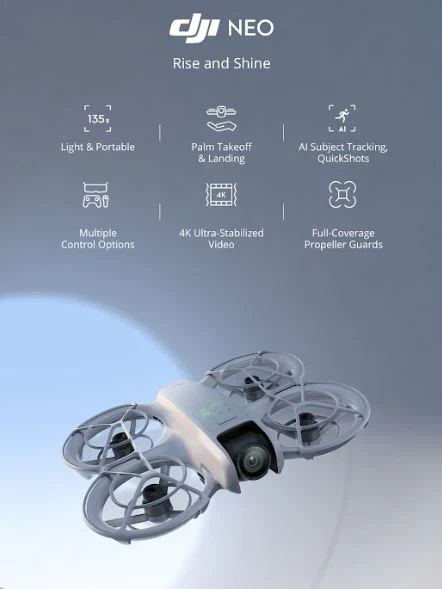
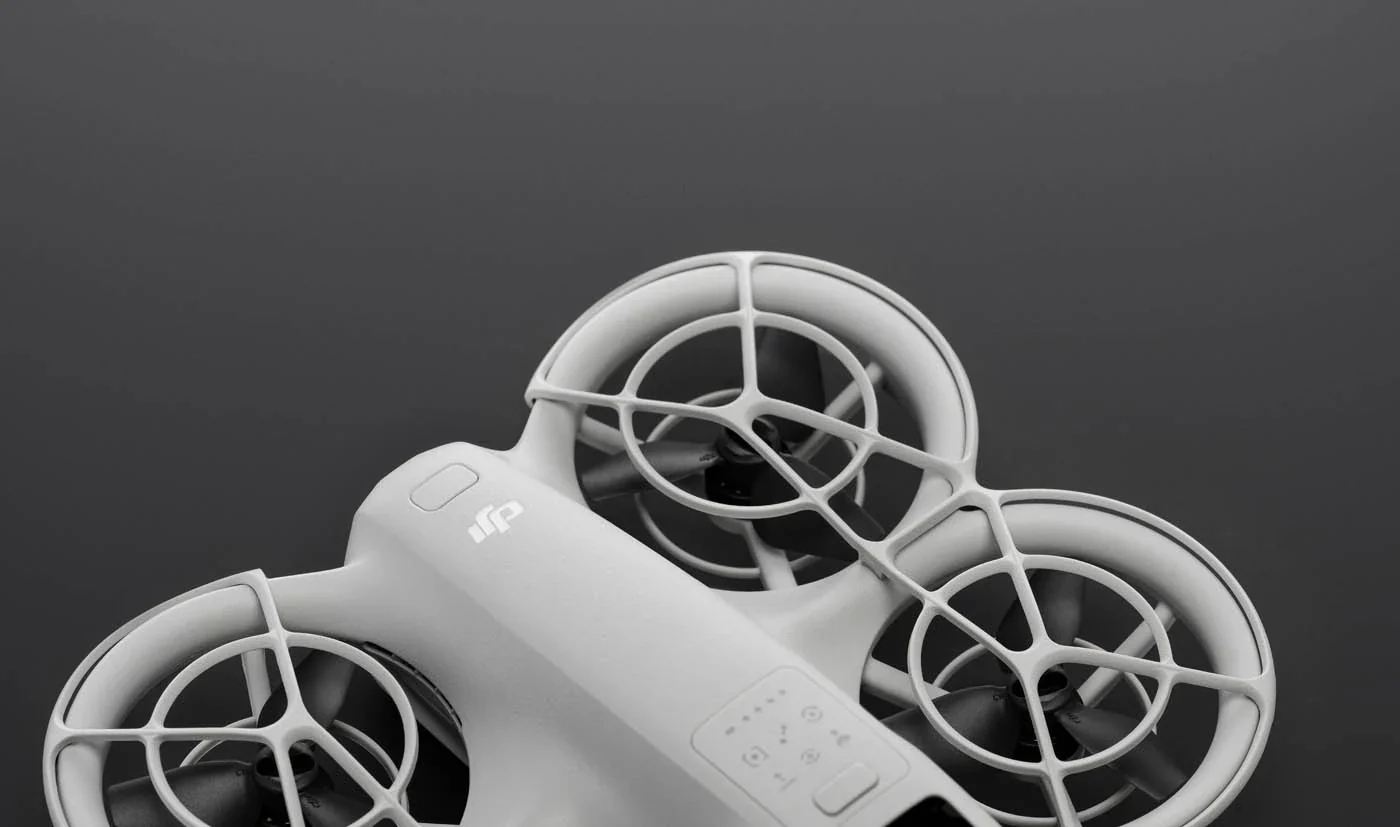
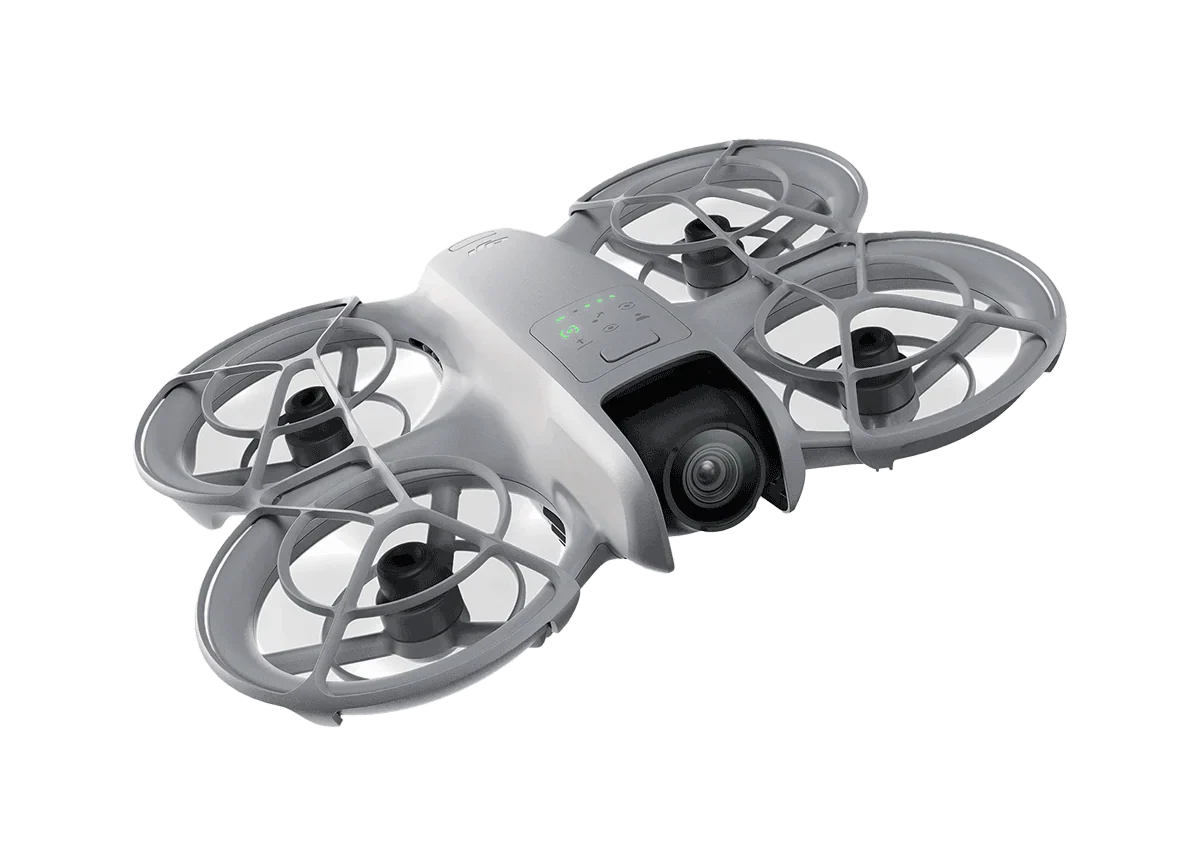
At 135 g,[1] DJI Neo is DJI's lightest and most compact drone to date. [2] Takeoff and land on your palm effortlessly without a remote controller, and capture cinematic footage with YOU in focus. Soar through breathtaking scenery, indoors and out, and be sure to include everybody in a group photo. Enjoy a fresh perspective on everyday life with DJI Neo.
|
135 g, Light and Portable |
Palm Takeoff & Landing |
AI Subject Tracking, QuickShots |
|
Multiple Control Options |
4K Ultra-Stabilized Video |
Full-Coverage Propeller Guards |
From Your Hand to the Sky—Palm Takeoff [3]
DJI Neo gracefully takes off and lands from your palm. [5] Simply press the mode button on Neo, select your desired shooting mode, and Neo automatically does the rest to capture impressive footage, all without a remote controller!
Take Center Stage With AI Subject Tracking
Whether you're cycling, skateboarding, or hiking, Neo keeps pace as your personal photographer and ensures you are always in the spotlight. Equipped with AI algorithms, Neo can follow the subject within the frame, so you can setup captivating follow shots with ease.
Spark Creativity With QuickShots
With just a flick of your finger, let DJI Neo automatically film for you. DJI Neo offers six intelligent shooting modes, [5] providing a dynamic range of angles to elevate your creative footage.
|
Dronie |
Circle |
Rocket |
|
Spotlight |
Helix |
Boomerang |
Multiple Control Methods
Compact yet capable, DJI Neo flies with style. It not only supports controller-free aerial filming but can also be paired with the DJI Fly app, remote controllers, RC Motion, DJI Goggles, and more for increased flight and camera control.
Voice Control [6][7]
"Hey Fly"- Wake the DJI Fly App with these words to enable voice control and pilot DJI Neo with spoken flight directives.
Mobile App Control [6]
DJI Neo supports Wi-Fi connection to smartphones, eliminating the need for an additional remote controller. Control Neo using virtual joysticks on the DJI Fly app interface, with a control range of up to 50 meters. [8] The app also allows you to set the tracking angle and distance, giving you the freedom to shoot from afar or up close as you please.
RC Control [9]
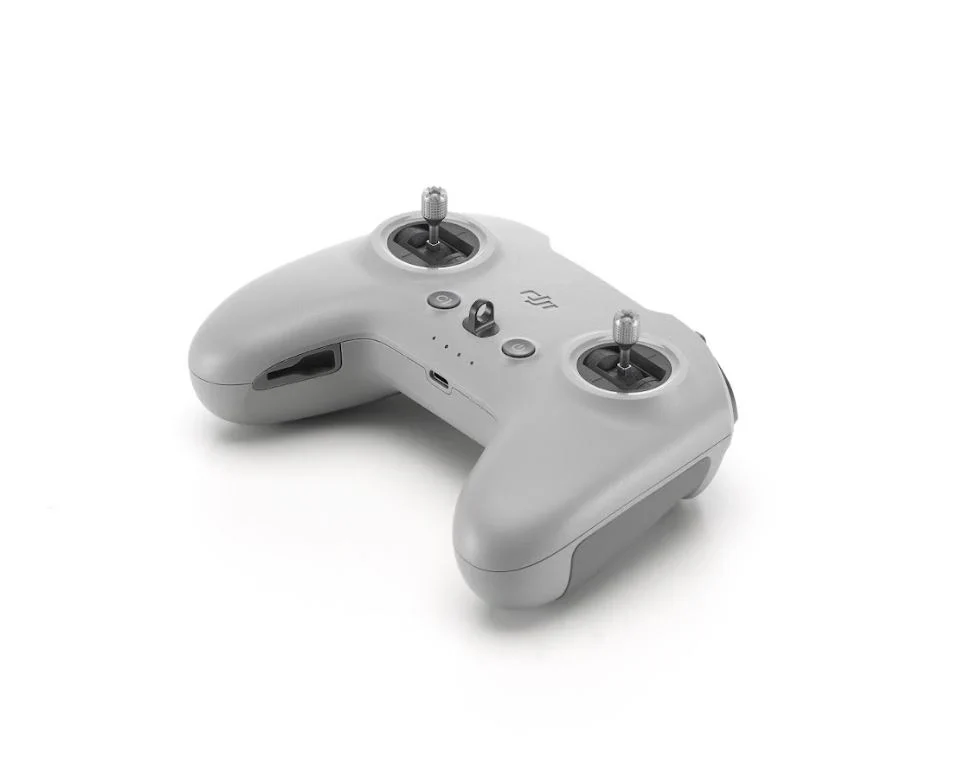
When paired with the DJI RC-N3, DJI Neo can achieve a maximum video transmission distance of 10 kilometers. [10] Flexibly operate the camera using traditional RC control sticks when you need to capture professional level shots.
Immersive Motion Control [9]
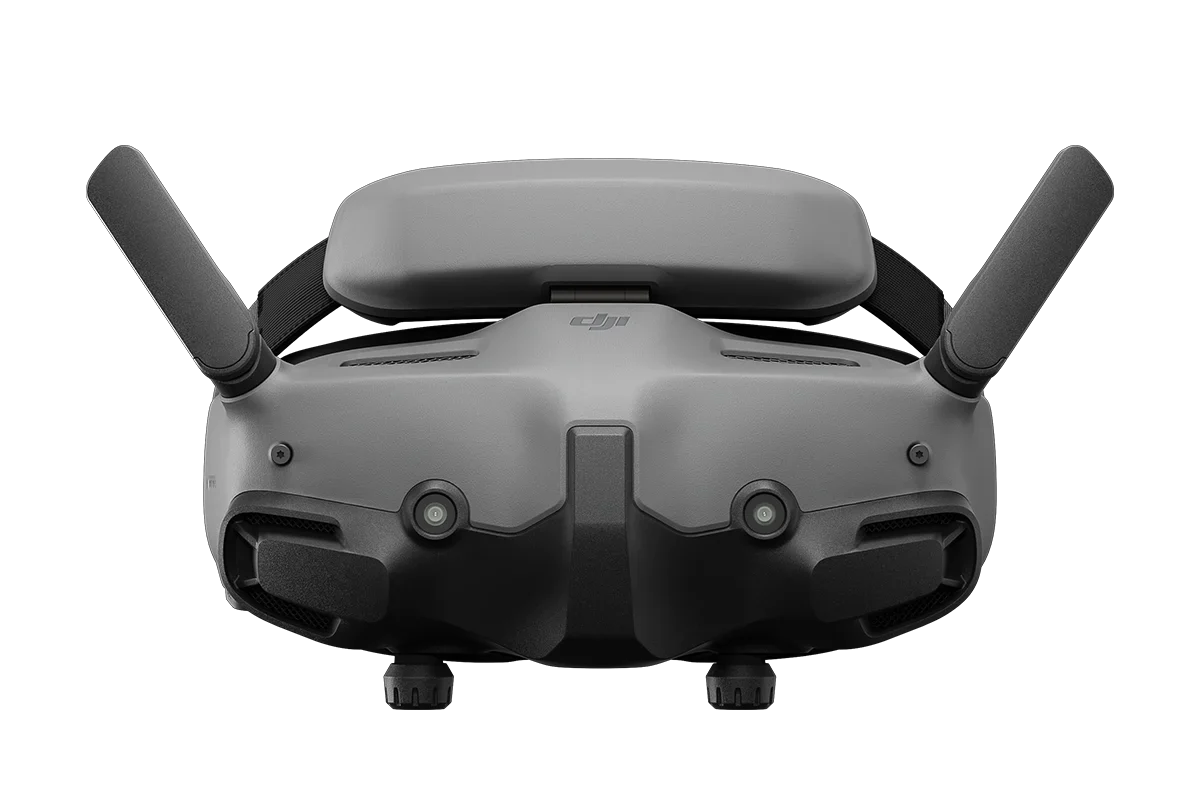
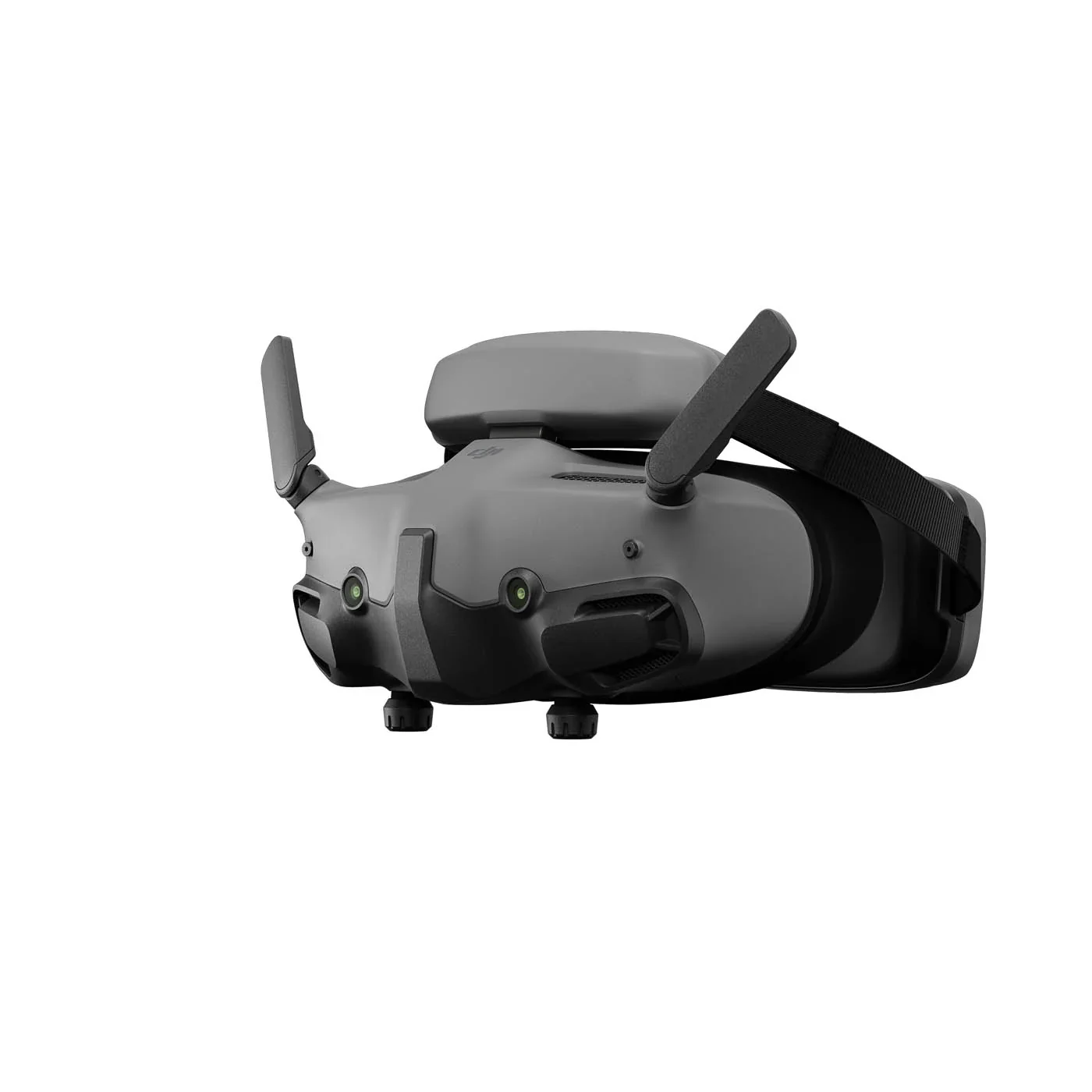
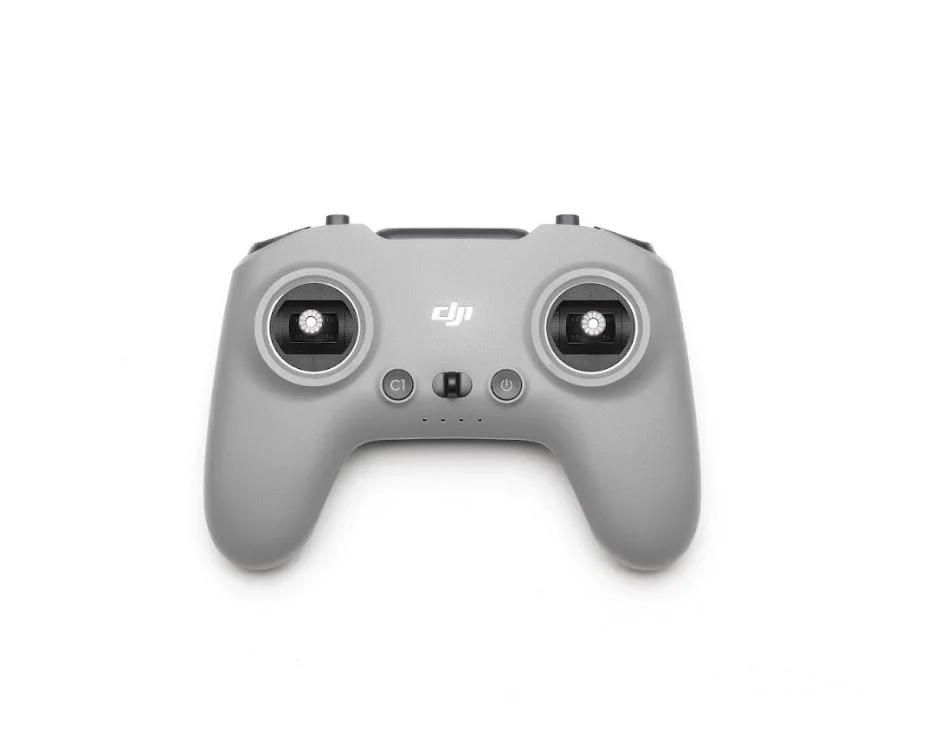
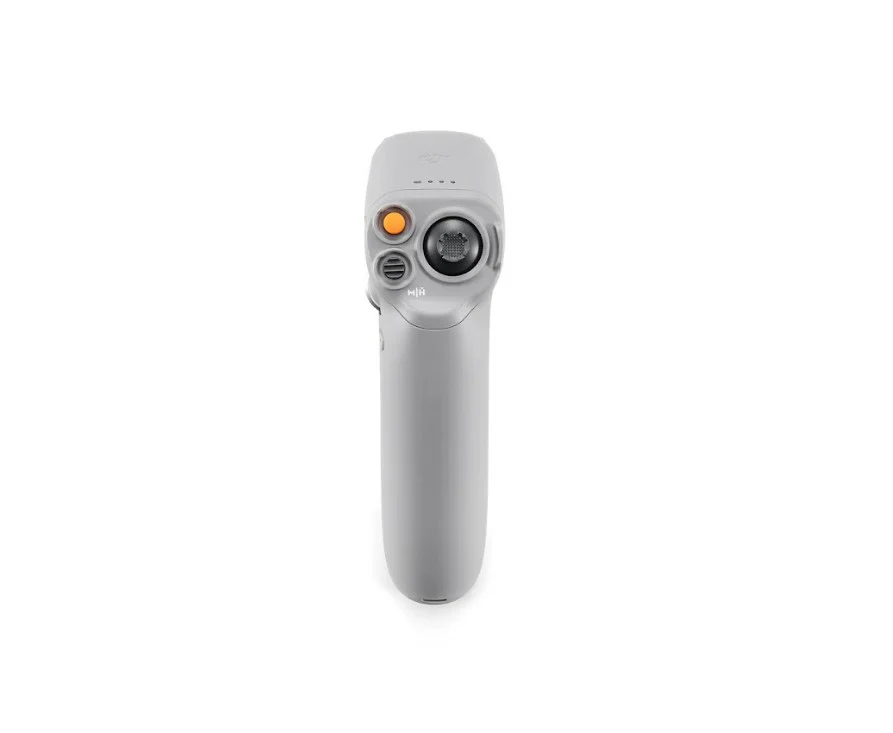
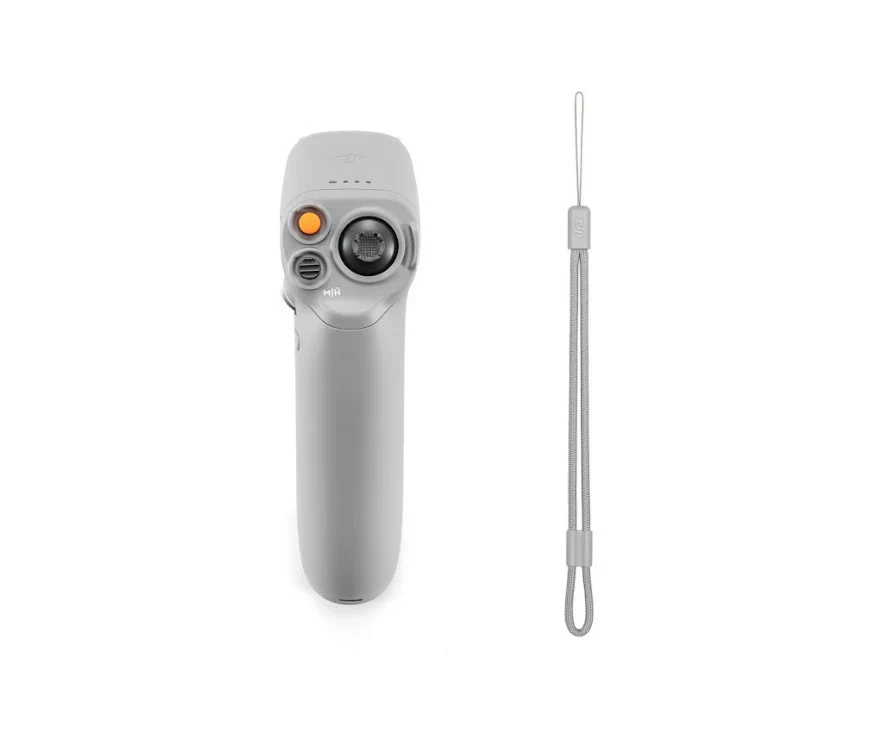
DJI Neo can be paired with DJI Goggles 3, RC Motion 3, or FPV Remote Controller 3, with a video transmission distance of up to 10 kilometers. [10] When used with RC Motion 3, DJI Neo masters the art of one-press aerobatics, seamless indoor navigation; deftly maneuvering through tight spaces* with ease. The palm-sized DJI Neo is flexible and agile in the air, making it the perfect companion for honing your skills in Manual mode.
Uncompromised Image Quality
DJI Neo sports a 1/2-inch image sensor for snapping 12MP stills. Combined with DJI's powerful stabilization algorithms, it can produce 4K UHD stabilized videos straight out of the camera. [11]
4K Ultra HD Video
DJI Neo supports multiple resolutions and frame rates for video recording and up to 4K/30fps [11] RockSteady/HorizonBalancing videos that maintain clarity in both highlight and shadow areas, ensuring rich detail is visible.
Stabilization Features for Steady Imagery
DJI Neo is equipped with a single-axis mechanical gimbal, combined with RockSteady and HorizonBalancing stabilization, [12] and it is capable of handling high-speed or large-amplitude flight, as well as up to Level-4 wind conditions. The stabilization algorithms significantly reduce overall image shakes and corrects horizon tilt within ±45°, [12] for smooth and stable footage.
Content Create With Ease
22GB Internal Storage
DJI Neo can store up to 40 minutes of 4K/30fps video or 55 minutes of 1080p/60fps video, allowing you to keep all your memories stored.
Record Sound Wirelessly
After linking with the DJI Fly app, DJI Neo records audio through DJI Mic 2, [13] which can be connected to your mobile phone via Bluetooth or directly through the phone's built-in microphone. The DJI Fly app can also automatically eliminate propeller noise and merge your audio track with your footage to ensure clear sound even when shooting low-altitude vlogs.
High-Speed QuickTransfer
No data cable needed! After connecting to your phone via Wi-Fi, the footage filmed by DJI Neo can be quickly transferred to the DJI Fly app. Transfer instantly after filming, making post-production and sharing smoother.
One-Tap Glamour
Ensure you always look your best and shine with confidence by adding Glamour Effects. Just import footage into the DJI Fly app to get started.
Editing Made Easy
The DJI Fly app offers a vast selection of templates and sound effects for quick and easy editing. Create and share videos efficiently without needing to download the footage to edit, saving storage space on your phone.
Stable Flight, Impressive Battery Life
Using an infrared and monocular vision positioning system, DJI Neo can hover steadily in the air, maintaining stability even in wind conditions up to Level 4. It also supports automatic Return to Home (RTH) for convenient, worry-free operation.
Return to Home (RTH)
Don't worry about returning home, for palm takeoff/landing or mobile app control, Neo will return to the takeoff point after completing it's course. When using a remote controller or immersive motion control, Neo supports Return to Home (RTH) and Failsafe RTH, for effortless navigation back to you.
Level-4 Wind Resistance | 18-Min Flight Time
With 18 minutes of flight time, [14] DJI Neo can perform over 20 excursions [15] to and from your palm in succession, documenting life's little moments with its sleek design that doesn't skimp on flight duration.
Direct Charging, Quick Power Replenishment
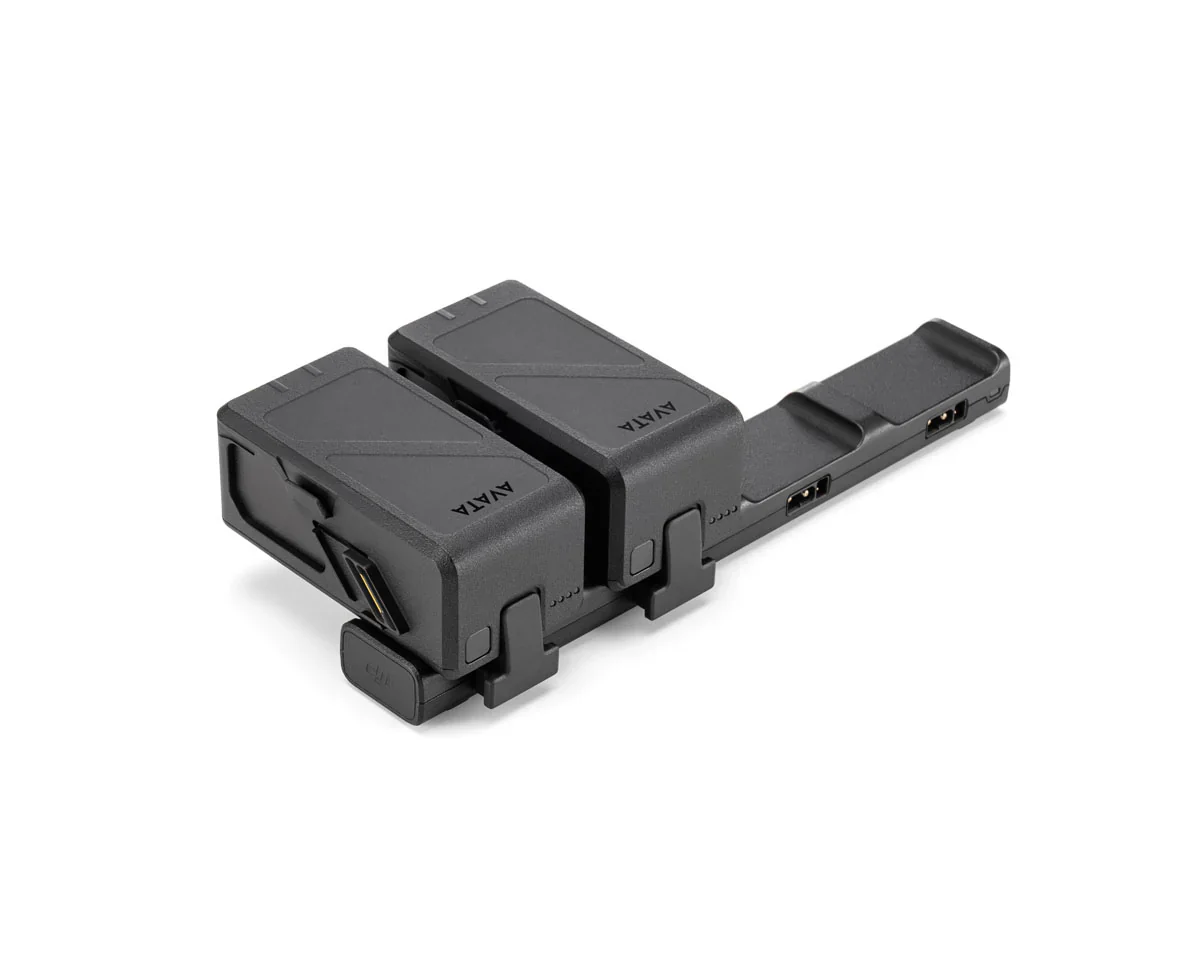
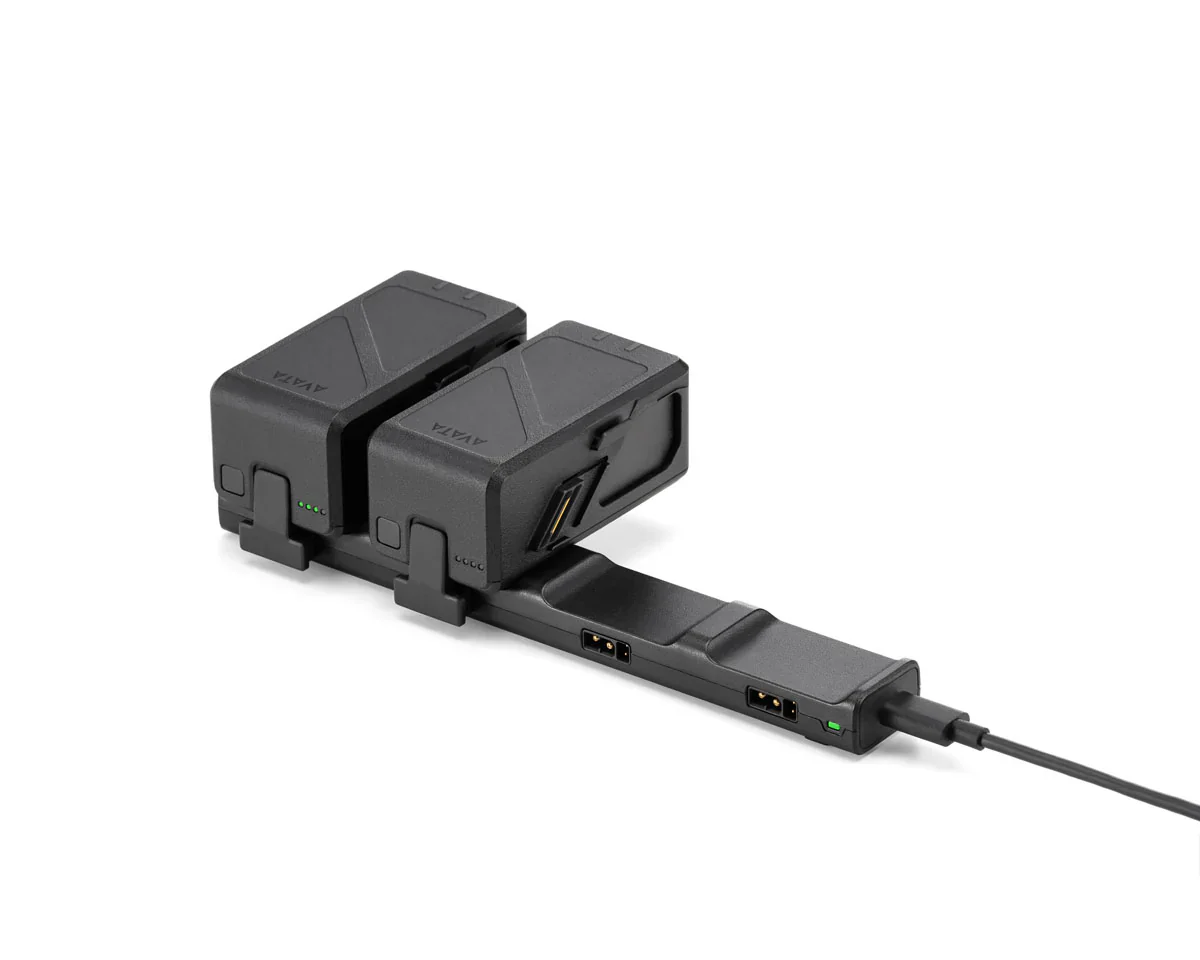
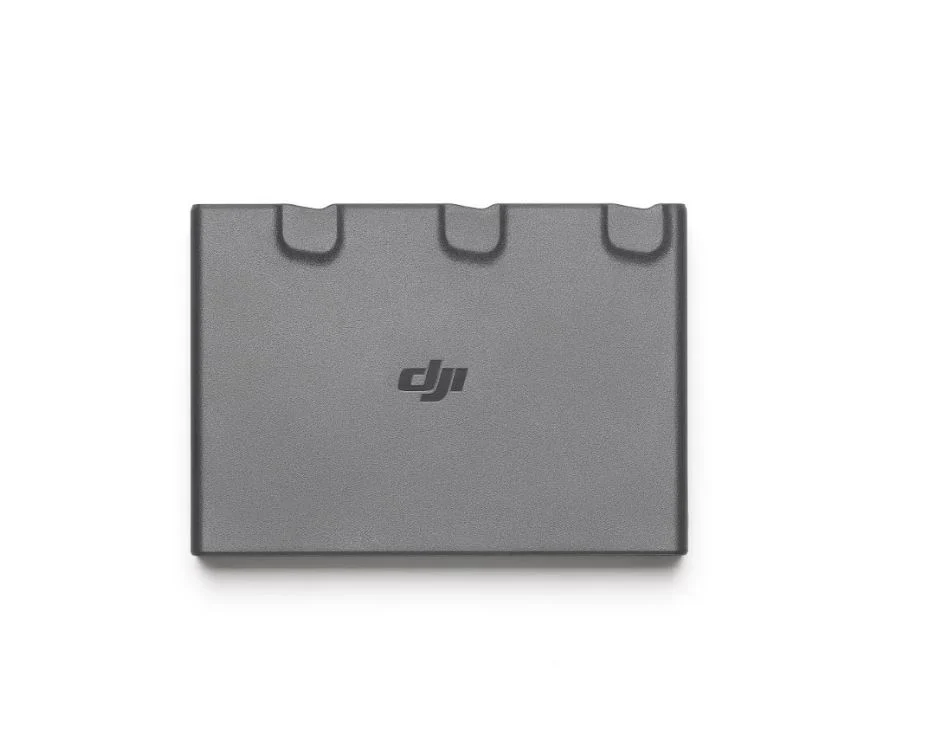
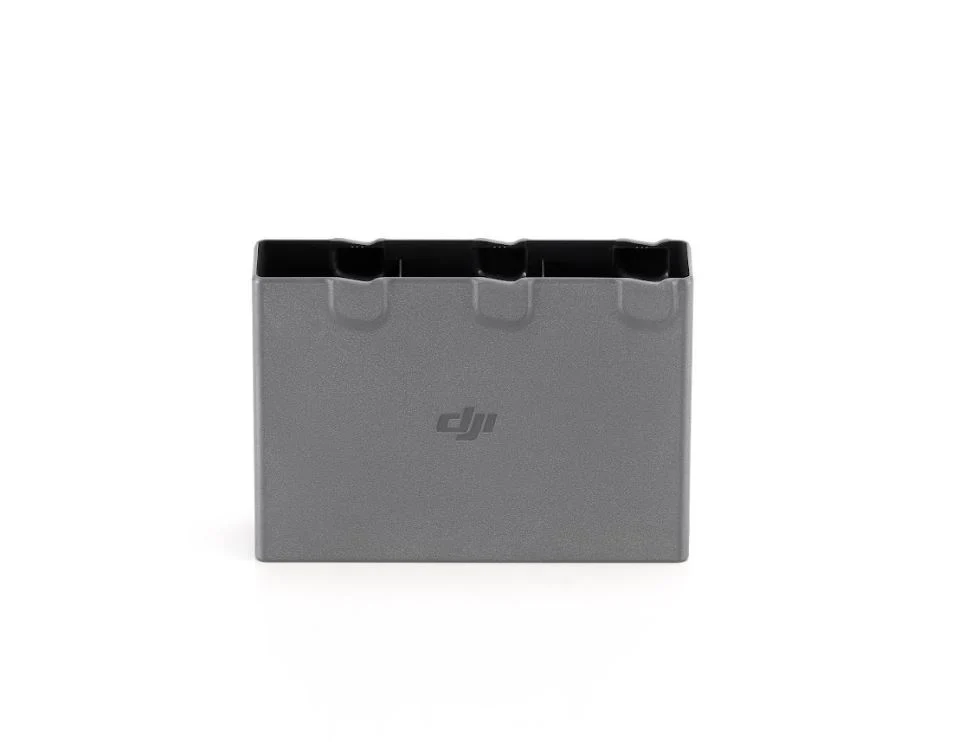
Connect the aircraft directly to a power source using a Type-C data cable for convenient charging. Additionally, DJI Neo's Two-Way Charging Hub [16] can charge three batteries simultaneously, [17] increasing both charging speed and efficiency.
Multitalented
Vlog Anytime
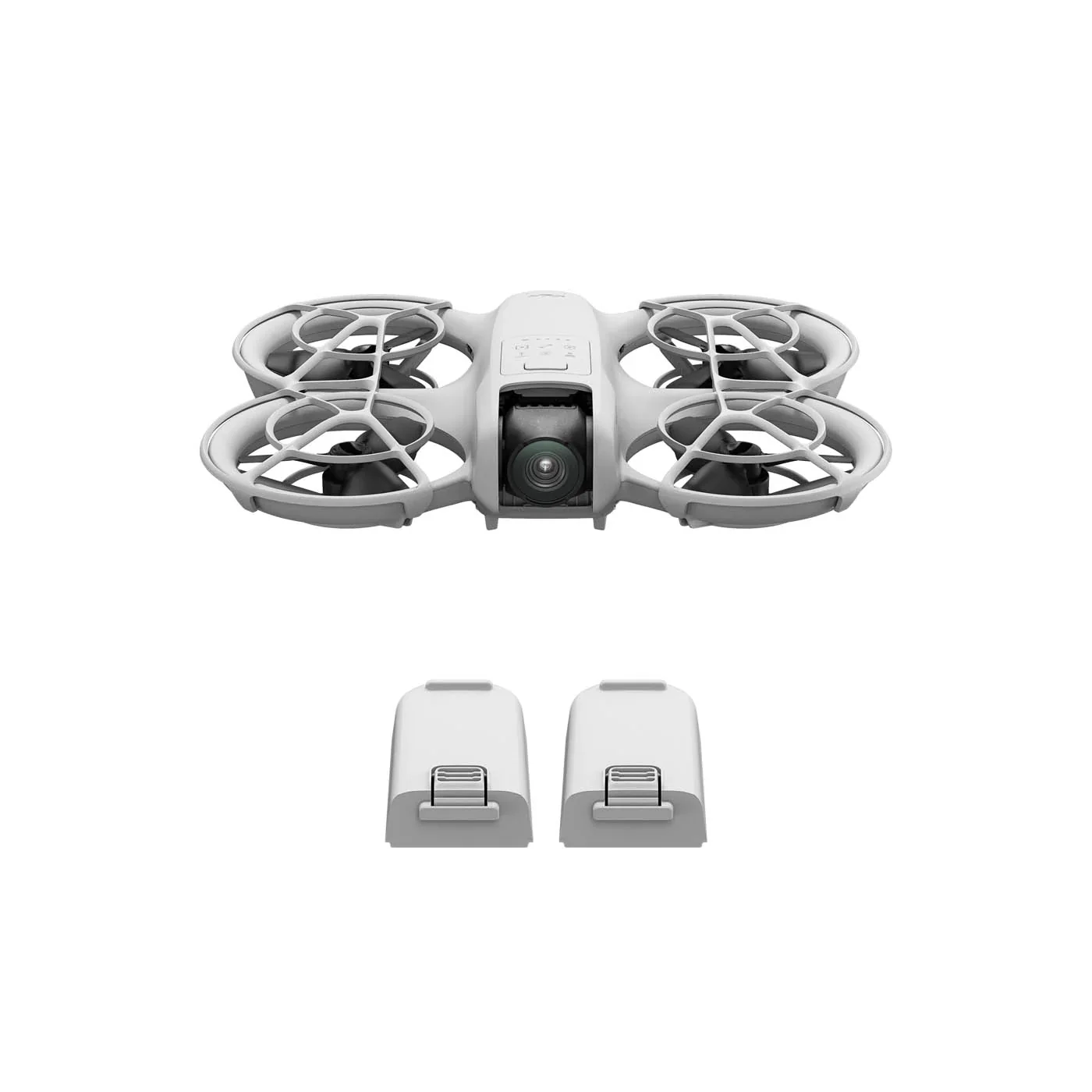
DJI Neo comes with the aircraft, an intelligent flight battery, propeller guards, and more, enabling you to swiftly dive into the thrill of flight at an affordable entry price—making it an exceptional deal for novices. You can also purchase batteries separately to extend flight time and power up your fun.
Level-Up Your Aerial Photography
The DJI Neo Fly More Combo includes the aircraft, an RC-N3 Remote Controller, three intelligent batteries, a two-way charging hub, and more, providing superior flight control and camera operation, for everyday to precise aerial creation.
Immersive Flight
Unlock motion control and immersive first-person view (FPV) flying by pairing DJI Neo with DJI Goggles 3, RC Motion 3, or FPV Remote Controller 3. [18] Whether indoors or out, DJI Neo's compact form effortlessly maneuvers through spaces.*
Notes
- DJI Neo does not support obstacle avoidance. To ensure flight safety, fly within a visual line of sight. To fly beyond visual line of sight (BVLOS), ensure that the aircraft is in good condition, the user is qualified, and the flight is compliant with local regulations for BVLOS.
- All data on this page was measured using a production model of DJI Neo in a controlled environment. Actual experience and data may vary depending on the environment, usage, and firmware version.
- All videos and images on this page were shot using DJI Neo by professionals in strict compliance with local laws and regulations and have been variously edited in post-production. All videos and images are for reference only. Actual results may vary. Always observe local laws and regulations and ensure the aircraft has obtained relevant certifications and airspace authorizations before flying.
- All images, videos, and screen display contents about the product itself on this page are for reference only. Actual product effects (including but not limited to appearance, color, and size) and screen display contents (including but not limited to backgrounds, UI, and illustrations) may vary.
- Product weight may vary due to differences in batch materials and other factors. Refer to the actual product.
- As of September 2024.
- When using palm takeoff and landing, adhere to the following guidelines: operate in a windless environment as much as possible; extend your palm horizontally and keep it still, avoiding finger contact with the propellers to prevent injury; do not attempt to grab the drone while it is flying.
- Certain control methods require the use of DJI Goggles series products, DJI RC Motion series products, or certain DJI remote controllers.
- Some shooting modes require connecting DJI Neo to a smartphone via Wi-Fi and enabling them in the DJI Fly app.
- Requires connecting DJI Neo to a smartphone via Wi-Fi.
- DJI Neo supports voice control in English and Mandarin only. The specific language used depends on the connected phone's system language (English or Chinese).
- Tested in an outdoor open environment free of interference. The video transmission distance varies by operating environment.
- Requires purchase of a specific combo or a separate purchase of a specific remote controller and goggles.
- The 10km video transmission distance can only be achieved with FCC compliance. The data was measured in an unobstructed outdoor environment free of interference and showed the farthest communication range for one-way, non-return flights. The maximum video transmission distance in the actual flight scenarios is limited by the drone's maximum flight distance. Refer to the actual use.
- 4K/30fps video recording is available under all control methods of DJI Neo. Except for motion control, 4K/30fps videos with HorizonBalancing are supported in all other control methods. When DJI Neo is paired with DJI Goggles 3 and DJI RC Motion 3, it can record 16:9 4K/30fps videos with RockSteady/HorizonBalancing or record 4:3 4K/30fps videos with no stabilization.
- When controlling the drone with the DJI Fly app or a standard remote controller, RockSteady and HorizonBalancing are enabled simultaneously and cannot be turned off. When controlling with DJI Goggles plus RC Motion or the FPV Remote Controller, you can choose to enable RockSteady, HorizonBalancing, or turn off stabilization. When controlling the drone without a remote controller or with the DJI Fly app, the HorizonBalancing angle is ±30°. When controlling the drone with a remote controller or using motion control, the HorizonBalancing angle is ±45°.
- Sold separately. For details on compatible phone models of DJI Mic 2, please refer to the DJI Mic 2 product page on the official DJI website.
- Measured in a controlled test environment. Specific test conditions are as follows: flying forward at a constant speed of 2 m/s in a windless laboratory environment at 20 meters above sea level, in photo mode (without photo-taking operation during flight), and from 100% battery level until 0%. Results may vary depending on the environment, actual use, and firmware version.
- Measured after DJI Neo is activated, with a fully charged battery and default settings, and using Circle, Rocket, and Dronie modes, and is for reference only.
- Available for separate purchase or with the purchase of the DJI Neo Fly More Combo.
- The number of batteries that can be charged simultaneously depends on the power of the charger used. Using a charger of more than 45 W allows for charging three batteries at once while using a charger of less than 45 W can only charge two batteries simultaneously. Refer to the charging protocols supported by the charger.
- Sold separately.
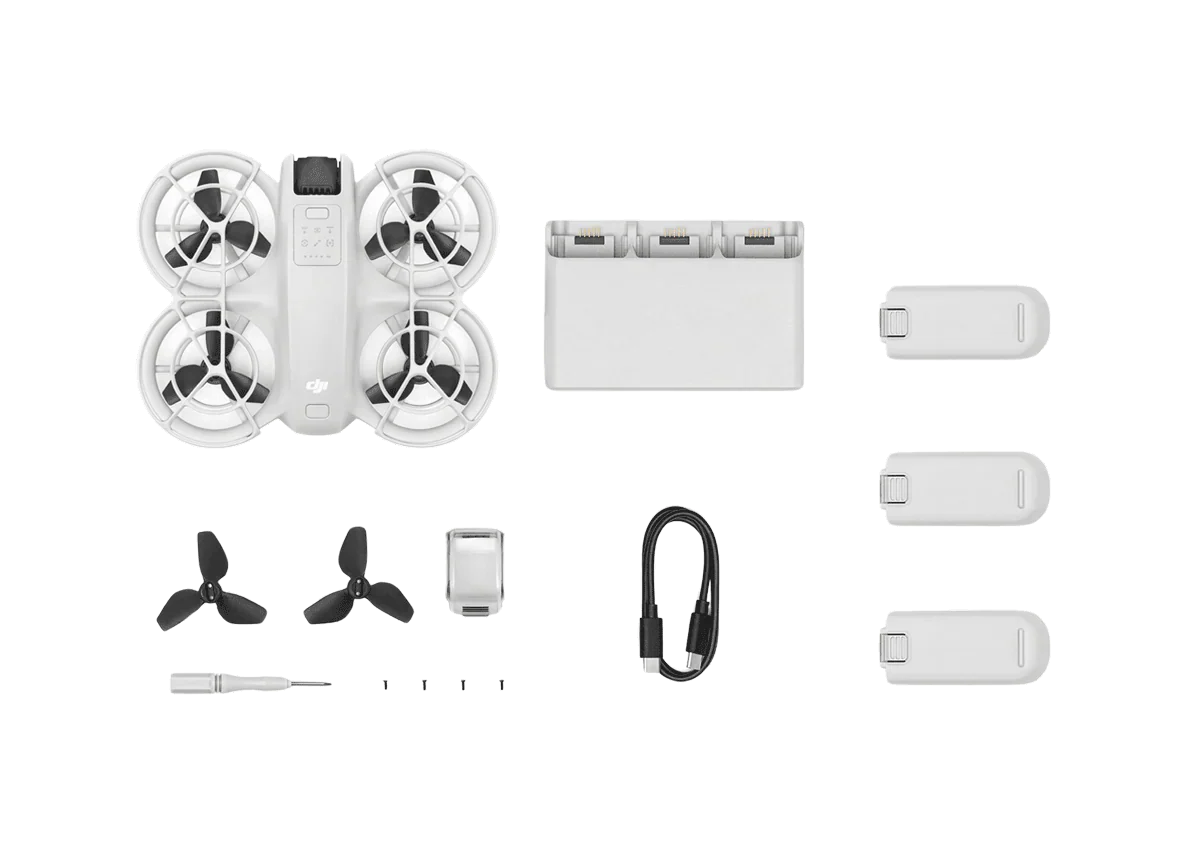
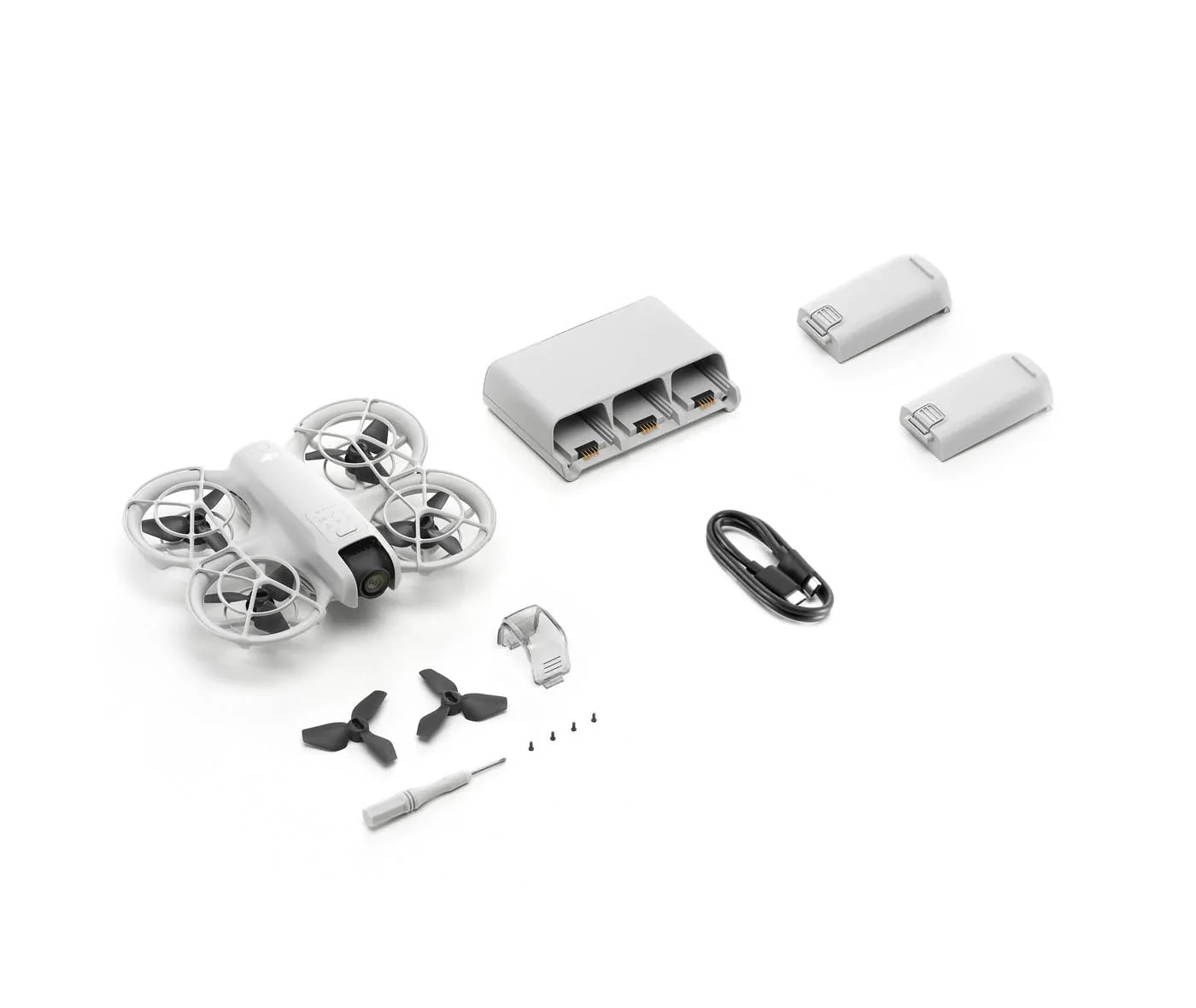
In the Box:
The box includes the following items:
- DJI Neo Aircraft - 1
- DJI Neo Intelligent Flight Battery - 3
- DJI Two-Way Charging Hub - 1
- DJI Neo Propeller Guard (Pair) - 1
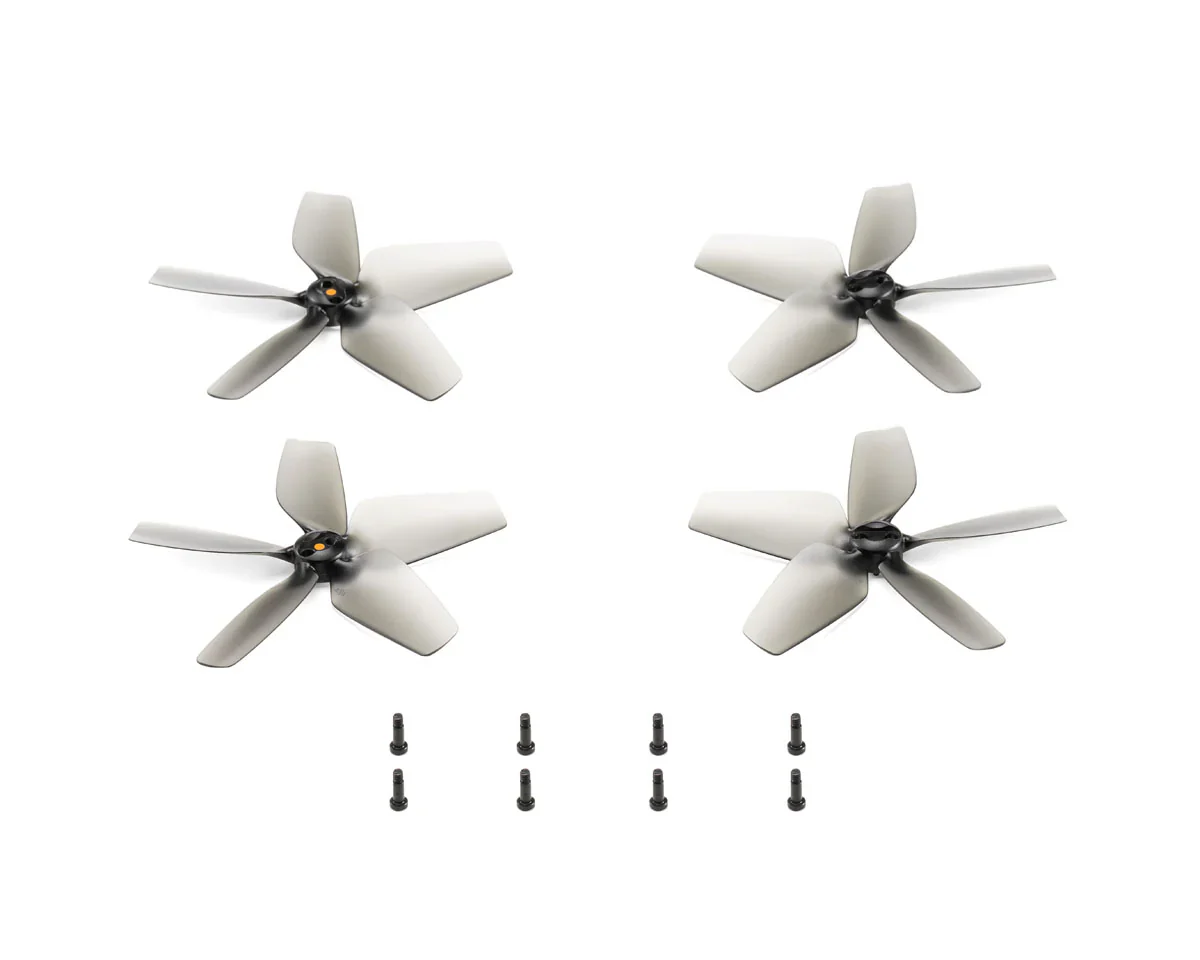
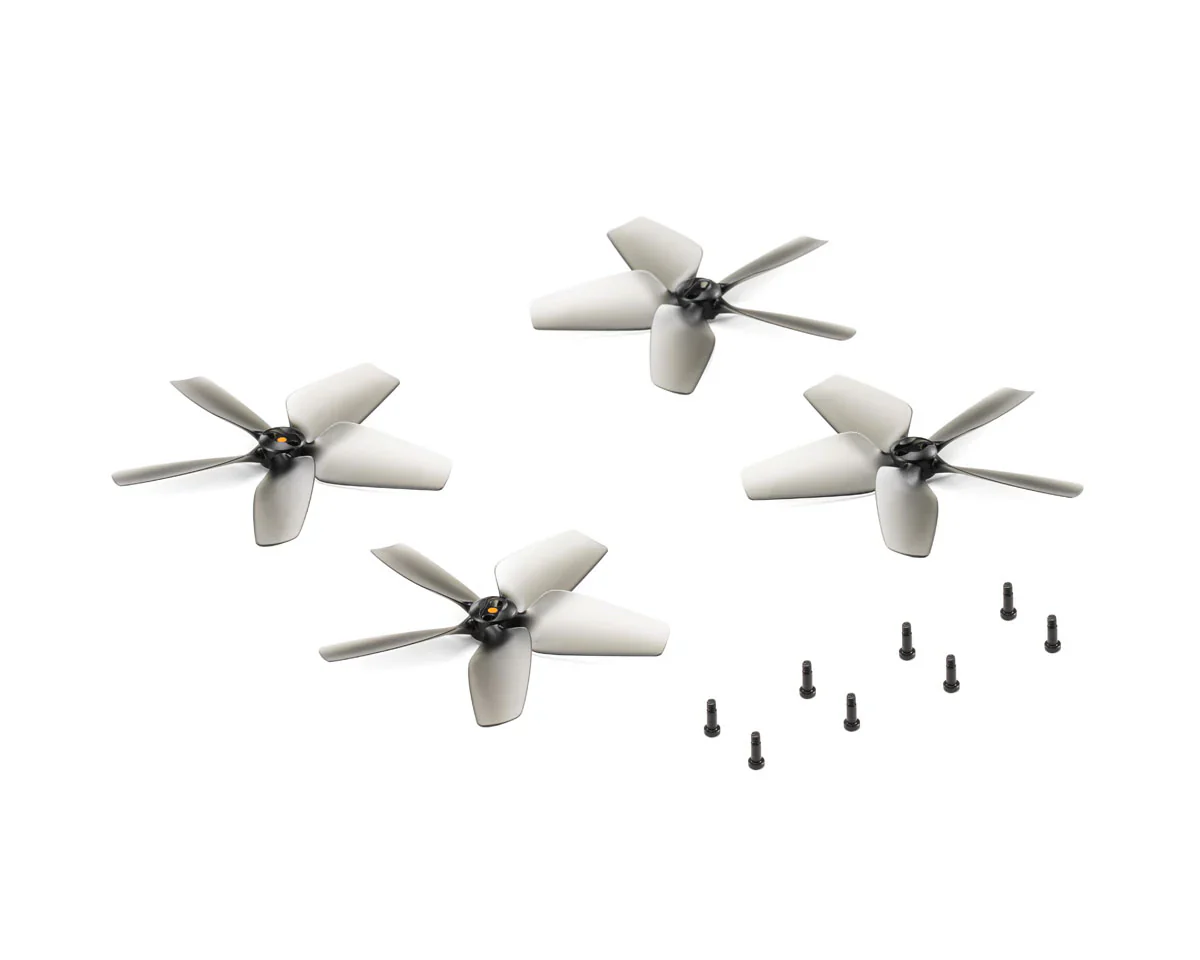
- DJI Neo Spare Propellers (Pair) - 1
- DJI Neo Spare Propeller Screw - 4
- Screwdriver - 1
- DJI Neo Gimbal Protector - 1
- Documents (Quick Start Guide, Safety Guidelines, and DJI Logo Stickers) - 1
Product Specifications
DJI Neo Combo - Palm-Sized 4K Stabilized Video Drone with 3 Batteries Product Specifications
| Attribute | Details |
|---|---|
| Product Name | DJI Neo |
| Short Description | Palm-sized drone for vlogs; includes 3 batteries and a charging hub. |
| SKU | CP.FP.00000218.01 |
| Manufacturer | DJI |
| UPC | 190021119017 |
| Compatible With | DJI Neo |
| Video Resolution | 4K |
Product Manual
DJI Neo User Manual
Product Warranty
DJI Product Warranty
These DJI After-Sales Policies (these “Policies”) only apply to DJI products (excl. DJI Dock) you purchased from DJI authorized retailers for your own use and not for resale.
These Policies are available in other languages at http://www.dji.com/service. In the event of a conflict between different translations of these terms, the English version shall prevail.
By using your DJI product, you agree to be bound by these Policies. If you are not eligible or do not agree to any of the Terms, do not use your DJI product. You may be entitled to a full refund of your purchase of the Product if you return the inactivated Product in accordance with the Part II of these Policies.
What is Covered
Under this Limited Warranty, DJI warrants that each DJI product (excl. DJI Dock) that you purchase will be free from material and workmanship defects under normal use in accordance with DJI’s published product materials during the warranty period. DJI’s published product materials include, but not limited to, user manuals, safety guidelines, specifications, in-app notifications, and service communications.
The warranty period for different products and parts vary, please check http://www.dji.com/service to verify the duration of the warranty for your particular product or parts. The warranty period for a product starts on the day following the delivery date, If you cannot provide invoice or other valid proof of purchase, then the warranty period will start from 90 days after the shipping date that shows on the product, unless otherwise agreed upon between you and DJI.
How to Obtain Warranty Service
If a product does not function as warranted during the warranty period, you may obtain after-sales service by contacting DJI’s local service center as provided in Part III of these Policies or through http://www.dji.com/support . You will need to provide a valid proof-of-purchase, receipt or order number (for DJI Direct Sales) for the warranty service.
Charges may apply for services not covered by this Limited Warranty. Please contact DJI for information specific to your location.
Please note that the warranty service is only available in the respective DJI service regions where you purchased your DJI product.
What Will DJI Do
DJI will attempt to diagnose and resolve your problem by telephone, e-mail or online chat. DJI may direct you to download and install particular software updates.
If your problem cannot be resolved over the telephone or through the application of software updates, you may be required to deliver the product to DJI for further examination. DJI will arrange for repair or replacement service at no cost if the problem falls under this Limited Warranty.
What These After-Sales Policies Do Not Cover
These policies do not cover the following:
× Crashes or fire damage caused by non-manufacturing factors, including but not limited to, pilot errors.
× Damage caused by unauthorized modification, disassembly, or shell opening not in accordance with DJI’s official instructions or manuals.
× Damage caused by improper installation, incorrect use, or operation not in accordance with DJI’s official instructions or manuals.
× Damage caused by an unauthorized service provider.
× Damage caused by an unauthorized modification of circuits, mismatch, or misuse of battery and charger.
× Damage caused by flights not following recommended instruction manuals.
× Damage caused by operating the product in bad weather (i.e. strong wind, rain, sand or dust storm, etc.).
× Damage caused by operating the product in a surrounding environment with electromagnetic interference (i.e. mining areas, areas with radio transmission towers or high-voltage wires nearby, substations, etc.).
× Damage caused by operating the product in a surrounding environment with wireless interference (i.e. transmitters, video links, Wi-Fi devices, etc.).
× Damage caused by operating the product at a weight greater than the safe takeoff weight as specified in the instruction manuals.
× Damage caused by a forced flight when components have aged or been damaged.
× Damage caused by a reliability or compatibility issue due to use of unauthenticated third-party parts.
× Damage caused by operating the product with a defective battery or at low battery.
× Uninterrupted or error-free operations on the product.
× Loss of, or damage to, your data saved in your product.
× Not provided flight logs which are used for accident data analysis.
× Any software, whether provided with the product or installed subsequently.
× Failures or damage caused by any third-party products, including the products or accessories provided or integrated into your product by DJI at your request.
× Any technical or other support, such as assistance with “how-to” questions or inaccurate product set-up and installation.
× Products or parts with an altered identification label or from which the identification label has been removed.
Limitation of Liability
When receiving service, DJI is responsible for loss or damage to your product only while it is in DJI's possession or in transit, if DJI is responsible for transportation.
Dji is not responsible for loss or disclosure of any data, including confidential information, proprietary information, or personal information, contained in a product.
Dji will not be liable for any failure or delay in performance due to causes beyond DJI's reasonable control (such as fire, explosion, power blackout, earthquake, flood, severe storms, strike, embargo, labor disputes, acts of civil or military authority, war, terrorism (including cyber terrorism), acts of God, acts or omissions of Internet traffic carriers, actions or omissions of regulatory or governmental bodies (including the passage of laws or regulations or other acts of government that impact the delivery of Services)).
Under no circumstances, and notwithstanding the failure of essential purpose of any remedy set forth herein, shall DJI, its affiliates, suppliers, resellers, or service providers be liable for any of the following even if informed of their possibility and regardless of whether the claim is based in contract, warranty, negligence, strict liability or other theory of liability: 1) third party claims against you for damages; 2) loss, damage or disclosure of your data; 3) special, incidental, punitive, indirect or consequential damages, including but not limited to lost profits, business revenue, goodwill or anticipated savings. In no case shall the total liability of DJI, its affiliates, suppliers, resellers, or service providers for damages from any cause exceed the amount of actual direct damages, not to exceed the amount paid for the product.
The foregoing limitation does not apply to damages for bodily injury (including death), damage to real property or damage to tangible personal property for which DJI is liable under law.
As some states or jurisdictions do not allow the exclusion or limitation of incidental or consequential damages, the above limitation or exclusion may not apply to you.
Limitation Of Warranty
To the extent permitted by law, except as expressly provided in this limited warranty, DJI disclaims all warranties of any kind, whether statutory, express or implied, including: (a) any implied warranty of merchantability, fitness for a particular purpose, title, quiet enjoyment, or non-infringement; and (b) any warranty arising out of course of dealing, usage, or trade. The DJI entities do not warrant, except as expressly provided in DJI limited warranty, that the product, product accessories, or any portion of the product, or any materials, will be uninterrupted, secure, or free of errors, viruses, or other harmful components..
Should such warranties cannot be disclaimed, DJI limits the duration and remedies of such warranties to the duration of this express warranty and, at DJI's option, the repair or replacement services provided in this limited warranty.
Some jurisdictions may prohibit a disclaimer of warranties and you may have other rights that vary from jurisdiction to jurisdiction
Your Other Rights
This Limited Warranty provides you with extra and specific legal rights. You may have other rights according to the applicable laws of your state or jurisdiction. You may also have other rights under a written agreement with DJI. Nothing in this Limited Warranty affects your statutory rights, including rights of consumers under laws or regulations governing the sale of consumer products that cannot be waived or limited by agreement.
DJI Warranty
Product FAQs
N/A
Product Information
Product Information
Shipping & Returns
Shipping & Returns
Description
DJI Neo Combo - Palm-Sized 4K Stabilized Video Drone with 3 Batteries
Description
This product does not qualify for FREE SHIPPING. Flat shipping rate is applied.
Rise and Shine, A Palm-Sized Drone for Vlogs.
At 135 g,[1] DJI Neo is DJI's lightest and most compact drone to date. [2] Takeoff and land on your palm effortlessly without a remote controller, and capture cinematic footage with YOU in focus. Soar through breathtaking scenery, indoors and out, and be sure to include everybody in a group photo. Enjoy a fresh perspective on everyday life with DJI Neo.
|
135 g, Light and Portable |
Palm Takeoff & Landing |
AI Subject Tracking, QuickShots |
|
Multiple Control Options |
4K Ultra-Stabilized Video |
Full-Coverage Propeller Guards |
From Your Hand to the Sky—Palm Takeoff [3]
DJI Neo gracefully takes off and lands from your palm. [5] Simply press the mode button on Neo, select your desired shooting mode, and Neo automatically does the rest to capture impressive footage, all without a remote controller!
Take Center Stage With AI Subject Tracking
Whether you're cycling, skateboarding, or hiking, Neo keeps pace as your personal photographer and ensures you are always in the spotlight. Equipped with AI algorithms, Neo can follow the subject within the frame, so you can setup captivating follow shots with ease.
Spark Creativity With QuickShots
With just a flick of your finger, let DJI Neo automatically film for you. DJI Neo offers six intelligent shooting modes, [5] providing a dynamic range of angles to elevate your creative footage.
|
Dronie |
Circle |
Rocket |
|
Spotlight |
Helix |
Boomerang |
Multiple Control Methods
Compact yet capable, DJI Neo flies with style. It not only supports controller-free aerial filming but can also be paired with the DJI Fly app, remote controllers, RC Motion, DJI Goggles, and more for increased flight and camera control.
Voice Control [6][7]
"Hey Fly"- Wake the DJI Fly App with these words to enable voice control and pilot DJI Neo with spoken flight directives.
Mobile App Control [6]
DJI Neo supports Wi-Fi connection to smartphones, eliminating the need for an additional remote controller. Control Neo using virtual joysticks on the DJI Fly app interface, with a control range of up to 50 meters. [8] The app also allows you to set the tracking angle and distance, giving you the freedom to shoot from afar or up close as you please.
RC Control [9]
When paired with the DJI RC-N3, DJI Neo can achieve a maximum video transmission distance of 10 kilometers. [10] Flexibly operate the camera using traditional RC control sticks when you need to capture professional level shots.
Immersive Motion Control [9]
DJI Neo can be paired with DJI Goggles 3, RC Motion 3, or FPV Remote Controller 3, with a video transmission distance of up to 10 kilometers. [10] When used with RC Motion 3, DJI Neo masters the art of one-press aerobatics, seamless indoor navigation; deftly maneuvering through tight spaces* with ease. The palm-sized DJI Neo is flexible and agile in the air, making it the perfect companion for honing your skills in Manual mode.
Uncompromised Image Quality
DJI Neo sports a 1/2-inch image sensor for snapping 12MP stills. Combined with DJI's powerful stabilization algorithms, it can produce 4K UHD stabilized videos straight out of the camera. [11]
4K Ultra HD Video
DJI Neo supports multiple resolutions and frame rates for video recording and up to 4K/30fps [11] RockSteady/HorizonBalancing videos that maintain clarity in both highlight and shadow areas, ensuring rich detail is visible.
Stabilization Features for Steady Imagery
DJI Neo is equipped with a single-axis mechanical gimbal, combined with RockSteady and HorizonBalancing stabilization, [12] and it is capable of handling high-speed or large-amplitude flight, as well as up to Level-4 wind conditions. The stabilization algorithms significantly reduce overall image shakes and corrects horizon tilt within ±45°, [12] for smooth and stable footage.
Content Create With Ease
22GB Internal Storage
DJI Neo can store up to 40 minutes of 4K/30fps video or 55 minutes of 1080p/60fps video, allowing you to keep all your memories stored.
Record Sound Wirelessly
After linking with the DJI Fly app, DJI Neo records audio through DJI Mic 2, [13] which can be connected to your mobile phone via Bluetooth or directly through the phone's built-in microphone. The DJI Fly app can also automatically eliminate propeller noise and merge your audio track with your footage to ensure clear sound even when shooting low-altitude vlogs.
High-Speed QuickTransfer
No data cable needed! After connecting to your phone via Wi-Fi, the footage filmed by DJI Neo can be quickly transferred to the DJI Fly app. Transfer instantly after filming, making post-production and sharing smoother.
One-Tap Glamour
Ensure you always look your best and shine with confidence by adding Glamour Effects. Just import footage into the DJI Fly app to get started.
Editing Made Easy
The DJI Fly app offers a vast selection of templates and sound effects for quick and easy editing. Create and share videos efficiently without needing to download the footage to edit, saving storage space on your phone.
Stable Flight, Impressive Battery Life
Using an infrared and monocular vision positioning system, DJI Neo can hover steadily in the air, maintaining stability even in wind conditions up to Level 4. It also supports automatic Return to Home (RTH) for convenient, worry-free operation.
Return to Home (RTH)
Don't worry about returning home, for palm takeoff/landing or mobile app control, Neo will return to the takeoff point after completing it's course. When using a remote controller or immersive motion control, Neo supports Return to Home (RTH) and Failsafe RTH, for effortless navigation back to you.
Level-4 Wind Resistance | 18-Min Flight Time
With 18 minutes of flight time, [14] DJI Neo can perform over 20 excursions [15] to and from your palm in succession, documenting life's little moments with its sleek design that doesn't skimp on flight duration.
Direct Charging, Quick Power Replenishment
Connect the aircraft directly to a power source using a Type-C data cable for convenient charging. Additionally, DJI Neo's Two-Way Charging Hub [16] can charge three batteries simultaneously, [17] increasing both charging speed and efficiency.
Multitalented
Vlog Anytime
DJI Neo comes with the aircraft, an intelligent flight battery, propeller guards, and more, enabling you to swiftly dive into the thrill of flight at an affordable entry price—making it an exceptional deal for novices. You can also purchase batteries separately to extend flight time and power up your fun.
Level-Up Your Aerial Photography
The DJI Neo Fly More Combo includes the aircraft, an RC-N3 Remote Controller, three intelligent batteries, a two-way charging hub, and more, providing superior flight control and camera operation, for everyday to precise aerial creation.
Immersive Flight
Unlock motion control and immersive first-person view (FPV) flying by pairing DJI Neo with DJI Goggles 3, RC Motion 3, or FPV Remote Controller 3. [18] Whether indoors or out, DJI Neo's compact form effortlessly maneuvers through spaces.*
Notes
- DJI Neo does not support obstacle avoidance. To ensure flight safety, fly within a visual line of sight. To fly beyond visual line of sight (BVLOS), ensure that the aircraft is in good condition, the user is qualified, and the flight is compliant with local regulations for BVLOS.
- All data on this page was measured using a production model of DJI Neo in a controlled environment. Actual experience and data may vary depending on the environment, usage, and firmware version.
- All videos and images on this page were shot using DJI Neo by professionals in strict compliance with local laws and regulations and have been variously edited in post-production. All videos and images are for reference only. Actual results may vary. Always observe local laws and regulations and ensure the aircraft has obtained relevant certifications and airspace authorizations before flying.
- All images, videos, and screen display contents about the product itself on this page are for reference only. Actual product effects (including but not limited to appearance, color, and size) and screen display contents (including but not limited to backgrounds, UI, and illustrations) may vary.
- Product weight may vary due to differences in batch materials and other factors. Refer to the actual product.
- As of September 2024.
- When using palm takeoff and landing, adhere to the following guidelines: operate in a windless environment as much as possible; extend your palm horizontally and keep it still, avoiding finger contact with the propellers to prevent injury; do not attempt to grab the drone while it is flying.
- Certain control methods require the use of DJI Goggles series products, DJI RC Motion series products, or certain DJI remote controllers.
- Some shooting modes require connecting DJI Neo to a smartphone via Wi-Fi and enabling them in the DJI Fly app.
- Requires connecting DJI Neo to a smartphone via Wi-Fi.
- DJI Neo supports voice control in English and Mandarin only. The specific language used depends on the connected phone's system language (English or Chinese).
- Tested in an outdoor open environment free of interference. The video transmission distance varies by operating environment.
- Requires purchase of a specific combo or a separate purchase of a specific remote controller and goggles.
- The 10km video transmission distance can only be achieved with FCC compliance. The data was measured in an unobstructed outdoor environment free of interference and showed the farthest communication range for one-way, non-return flights. The maximum video transmission distance in the actual flight scenarios is limited by the drone's maximum flight distance. Refer to the actual use.
- 4K/30fps video recording is available under all control methods of DJI Neo. Except for motion control, 4K/30fps videos with HorizonBalancing are supported in all other control methods. When DJI Neo is paired with DJI Goggles 3 and DJI RC Motion 3, it can record 16:9 4K/30fps videos with RockSteady/HorizonBalancing or record 4:3 4K/30fps videos with no stabilization.
- When controlling the drone with the DJI Fly app or a standard remote controller, RockSteady and HorizonBalancing are enabled simultaneously and cannot be turned off. When controlling with DJI Goggles plus RC Motion or the FPV Remote Controller, you can choose to enable RockSteady, HorizonBalancing, or turn off stabilization. When controlling the drone without a remote controller or with the DJI Fly app, the HorizonBalancing angle is ±30°. When controlling the drone with a remote controller or using motion control, the HorizonBalancing angle is ±45°.
- Sold separately. For details on compatible phone models of DJI Mic 2, please refer to the DJI Mic 2 product page on the official DJI website.
- Measured in a controlled test environment. Specific test conditions are as follows: flying forward at a constant speed of 2 m/s in a windless laboratory environment at 20 meters above sea level, in photo mode (without photo-taking operation during flight), and from 100% battery level until 0%. Results may vary depending on the environment, actual use, and firmware version.
- Measured after DJI Neo is activated, with a fully charged battery and default settings, and using Circle, Rocket, and Dronie modes, and is for reference only.
- Available for separate purchase or with the purchase of the DJI Neo Fly More Combo.
- The number of batteries that can be charged simultaneously depends on the power of the charger used. Using a charger of more than 45 W allows for charging three batteries at once while using a charger of less than 45 W can only charge two batteries simultaneously. Refer to the charging protocols supported by the charger.
- Sold separately.
In the Box:
The box includes the following items:
- DJI Neo Aircraft - 1
- DJI Neo Intelligent Flight Battery - 3
- DJI Two-Way Charging Hub - 1
- DJI Neo Propeller Guard (Pair) - 1
- DJI Neo Spare Propellers (Pair) - 1
- DJI Neo Spare Propeller Screw - 4
- Screwdriver - 1
- DJI Neo Gimbal Protector - 1
- Documents (Quick Start Guide, Safety Guidelines, and DJI Logo Stickers) - 1
Product Specifications
DJI Neo Combo - Palm-Sized 4K Stabilized Video Drone with 3 Batteries Product Specifications
| Attribute | Details |
|---|---|
| Product Name | DJI Neo |
| Short Description | Palm-sized drone for vlogs; includes 3 batteries and a charging hub. |
| SKU | CP.FP.00000218.01 |
| Manufacturer | DJI |
| UPC | 190021119017 |
| Compatible With | DJI Neo |
| Video Resolution | 4K |
Product Manual
DJI Neo User Manual
Product Warranty
DJI Product Warranty
These DJI After-Sales Policies (these “Policies”) only apply to DJI products (excl. DJI Dock) you purchased from DJI authorized retailers for your own use and not for resale.
These Policies are available in other languages at http://www.dji.com/service. In the event of a conflict between different translations of these terms, the English version shall prevail.
By using your DJI product, you agree to be bound by these Policies. If you are not eligible or do not agree to any of the Terms, do not use your DJI product. You may be entitled to a full refund of your purchase of the Product if you return the inactivated Product in accordance with the Part II of these Policies.
What is Covered
Under this Limited Warranty, DJI warrants that each DJI product (excl. DJI Dock) that you purchase will be free from material and workmanship defects under normal use in accordance with DJI’s published product materials during the warranty period. DJI’s published product materials include, but not limited to, user manuals, safety guidelines, specifications, in-app notifications, and service communications.
The warranty period for different products and parts vary, please check http://www.dji.com/service to verify the duration of the warranty for your particular product or parts. The warranty period for a product starts on the day following the delivery date, If you cannot provide invoice or other valid proof of purchase, then the warranty period will start from 90 days after the shipping date that shows on the product, unless otherwise agreed upon between you and DJI.
How to Obtain Warranty Service
If a product does not function as warranted during the warranty period, you may obtain after-sales service by contacting DJI’s local service center as provided in Part III of these Policies or through http://www.dji.com/support . You will need to provide a valid proof-of-purchase, receipt or order number (for DJI Direct Sales) for the warranty service.
Charges may apply for services not covered by this Limited Warranty. Please contact DJI for information specific to your location.
Please note that the warranty service is only available in the respective DJI service regions where you purchased your DJI product.
What Will DJI Do
DJI will attempt to diagnose and resolve your problem by telephone, e-mail or online chat. DJI may direct you to download and install particular software updates.
If your problem cannot be resolved over the telephone or through the application of software updates, you may be required to deliver the product to DJI for further examination. DJI will arrange for repair or replacement service at no cost if the problem falls under this Limited Warranty.
What These After-Sales Policies Do Not Cover
These policies do not cover the following:
× Crashes or fire damage caused by non-manufacturing factors, including but not limited to, pilot errors.
× Damage caused by unauthorized modification, disassembly, or shell opening not in accordance with DJI’s official instructions or manuals.
× Damage caused by improper installation, incorrect use, or operation not in accordance with DJI’s official instructions or manuals.
× Damage caused by an unauthorized service provider.
× Damage caused by an unauthorized modification of circuits, mismatch, or misuse of battery and charger.
× Damage caused by flights not following recommended instruction manuals.
× Damage caused by operating the product in bad weather (i.e. strong wind, rain, sand or dust storm, etc.).
× Damage caused by operating the product in a surrounding environment with electromagnetic interference (i.e. mining areas, areas with radio transmission towers or high-voltage wires nearby, substations, etc.).
× Damage caused by operating the product in a surrounding environment with wireless interference (i.e. transmitters, video links, Wi-Fi devices, etc.).
× Damage caused by operating the product at a weight greater than the safe takeoff weight as specified in the instruction manuals.
× Damage caused by a forced flight when components have aged or been damaged.
× Damage caused by a reliability or compatibility issue due to use of unauthenticated third-party parts.
× Damage caused by operating the product with a defective battery or at low battery.
× Uninterrupted or error-free operations on the product.
× Loss of, or damage to, your data saved in your product.
× Not provided flight logs which are used for accident data analysis.
× Any software, whether provided with the product or installed subsequently.
× Failures or damage caused by any third-party products, including the products or accessories provided or integrated into your product by DJI at your request.
× Any technical or other support, such as assistance with “how-to” questions or inaccurate product set-up and installation.
× Products or parts with an altered identification label or from which the identification label has been removed.
Limitation of Liability
When receiving service, DJI is responsible for loss or damage to your product only while it is in DJI's possession or in transit, if DJI is responsible for transportation.
Dji is not responsible for loss or disclosure of any data, including confidential information, proprietary information, or personal information, contained in a product.
Dji will not be liable for any failure or delay in performance due to causes beyond DJI's reasonable control (such as fire, explosion, power blackout, earthquake, flood, severe storms, strike, embargo, labor disputes, acts of civil or military authority, war, terrorism (including cyber terrorism), acts of God, acts or omissions of Internet traffic carriers, actions or omissions of regulatory or governmental bodies (including the passage of laws or regulations or other acts of government that impact the delivery of Services)).
Under no circumstances, and notwithstanding the failure of essential purpose of any remedy set forth herein, shall DJI, its affiliates, suppliers, resellers, or service providers be liable for any of the following even if informed of their possibility and regardless of whether the claim is based in contract, warranty, negligence, strict liability or other theory of liability: 1) third party claims against you for damages; 2) loss, damage or disclosure of your data; 3) special, incidental, punitive, indirect or consequential damages, including but not limited to lost profits, business revenue, goodwill or anticipated savings. In no case shall the total liability of DJI, its affiliates, suppliers, resellers, or service providers for damages from any cause exceed the amount of actual direct damages, not to exceed the amount paid for the product.
The foregoing limitation does not apply to damages for bodily injury (including death), damage to real property or damage to tangible personal property for which DJI is liable under law.
As some states or jurisdictions do not allow the exclusion or limitation of incidental or consequential damages, the above limitation or exclusion may not apply to you.
Limitation Of Warranty
To the extent permitted by law, except as expressly provided in this limited warranty, DJI disclaims all warranties of any kind, whether statutory, express or implied, including: (a) any implied warranty of merchantability, fitness for a particular purpose, title, quiet enjoyment, or non-infringement; and (b) any warranty arising out of course of dealing, usage, or trade. The DJI entities do not warrant, except as expressly provided in DJI limited warranty, that the product, product accessories, or any portion of the product, or any materials, will be uninterrupted, secure, or free of errors, viruses, or other harmful components..
Should such warranties cannot be disclaimed, DJI limits the duration and remedies of such warranties to the duration of this express warranty and, at DJI's option, the repair or replacement services provided in this limited warranty.
Some jurisdictions may prohibit a disclaimer of warranties and you may have other rights that vary from jurisdiction to jurisdiction
Your Other Rights
This Limited Warranty provides you with extra and specific legal rights. You may have other rights according to the applicable laws of your state or jurisdiction. You may also have other rights under a written agreement with DJI. Nothing in this Limited Warranty affects your statutory rights, including rights of consumers under laws or regulations governing the sale of consumer products that cannot be waived or limited by agreement.
DJI Warranty
Product FAQs
N/A