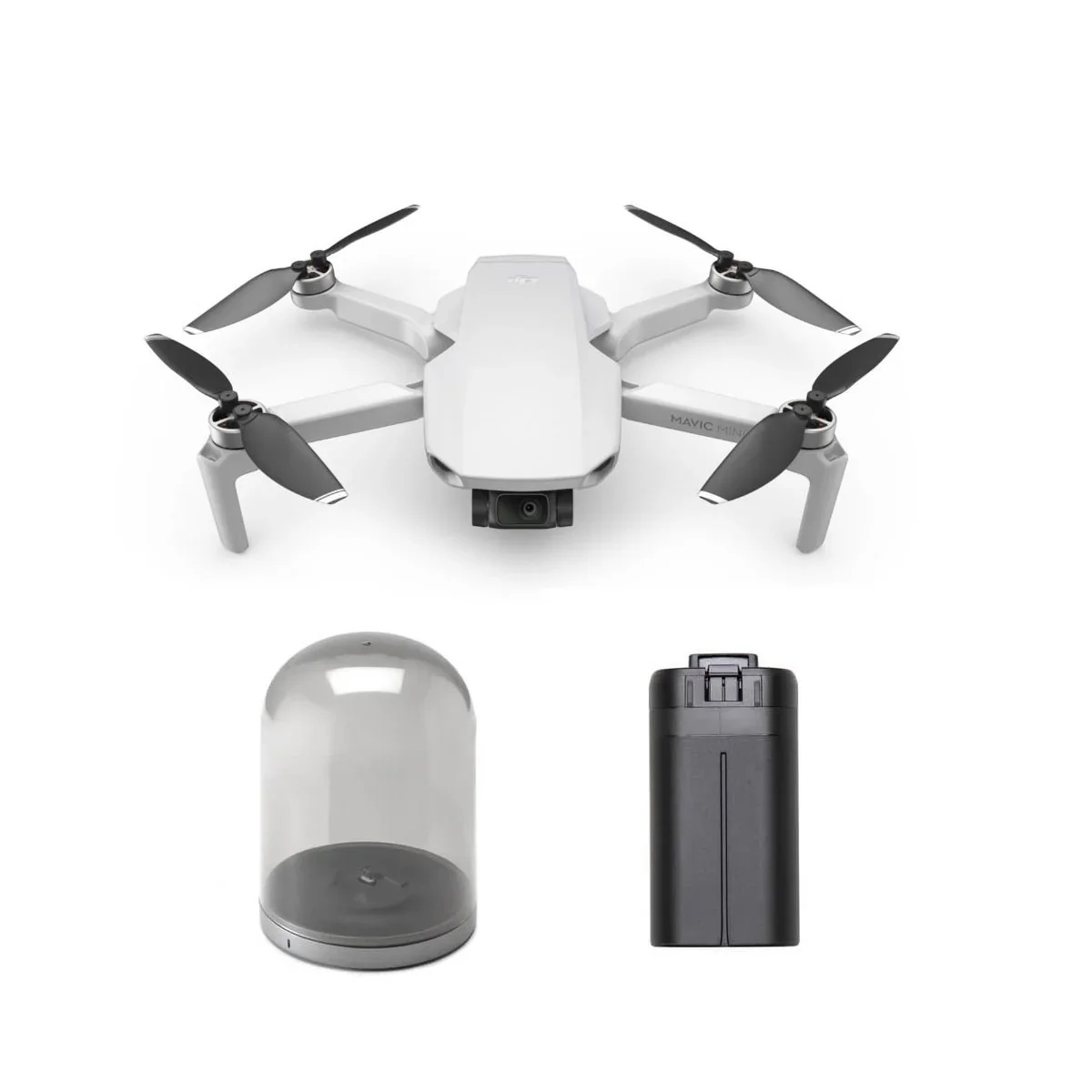





DJI Mavic Mini Bundle with Charging Base and Extra Battery
DJI Mavic Mini Bundle with Charging Base and Extra Battery
Description
This product does not qualify for FREE SHIPPING. Flat shipping rate is applied.
DJI Mavic Mini Quadcopter - The Everyday Flycam
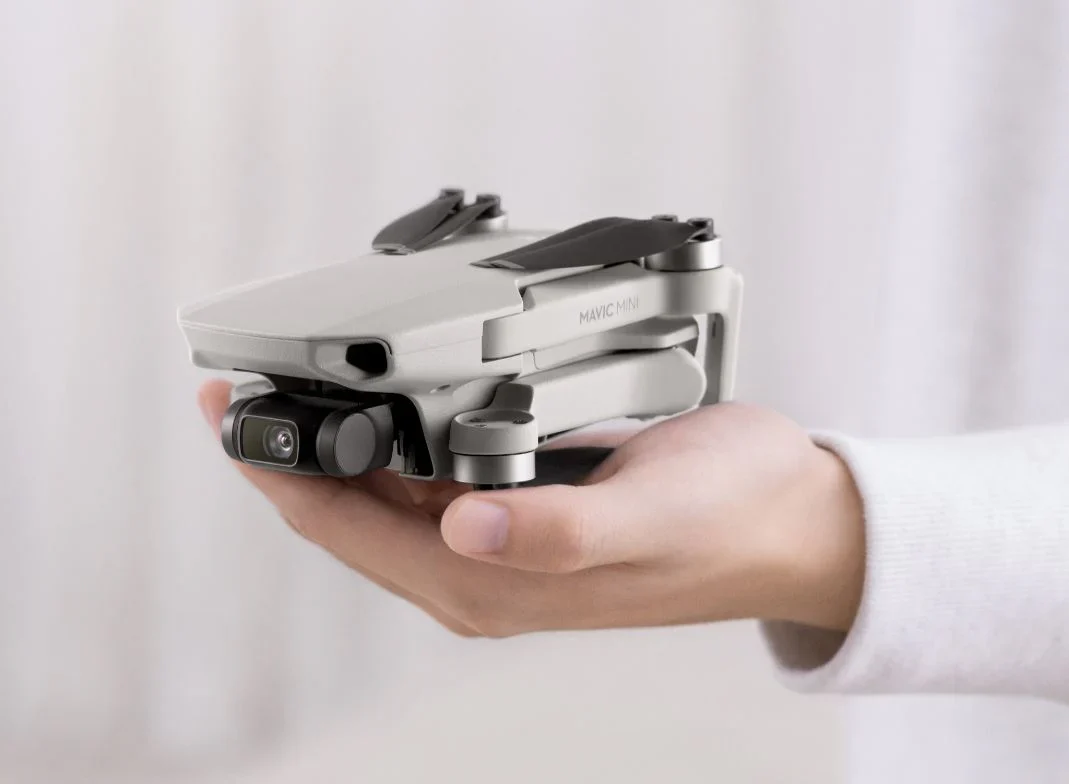
Mavic Mini is an easy-to-use, affordable flying camera for capturing all your fun. Truly compact, portable consumer quadcopters have been around—but not with the performance of the Mavic Mini from DJI, the world’s leader in reliable, feature-filled drones. Mavic Mini folds to fit in a backpack, jacket or cargo pants pocket and weighs little more than your smartphone.

Mini is fast and goes exactly where you want because controls are simple and GPS is built in. It records high-definition, shake-free video and clear still photos, as you’d expect from DJI. And at 249 grams, or less than 8.8 ounces, the Mavic Mini is exempt from federal regulations, so you don’t even have to register it.
Mavic Mini features:
- Lightweight: Just over ½ lb.
- Pocket size: 5.5x3.3x2.2 in. folded
- Flight time: Up to 30 minutes
- Range: 2.48 miles
- Shake-free: 3-axis gimbal for smooth video
- Quality video: 2.7K high-definition
- Sharp stills: 12MP
- Sharing: Easy recording, editing
- Simple controls: 2-stick controller that links to and holds your smartphone
Everything You Need To Fly
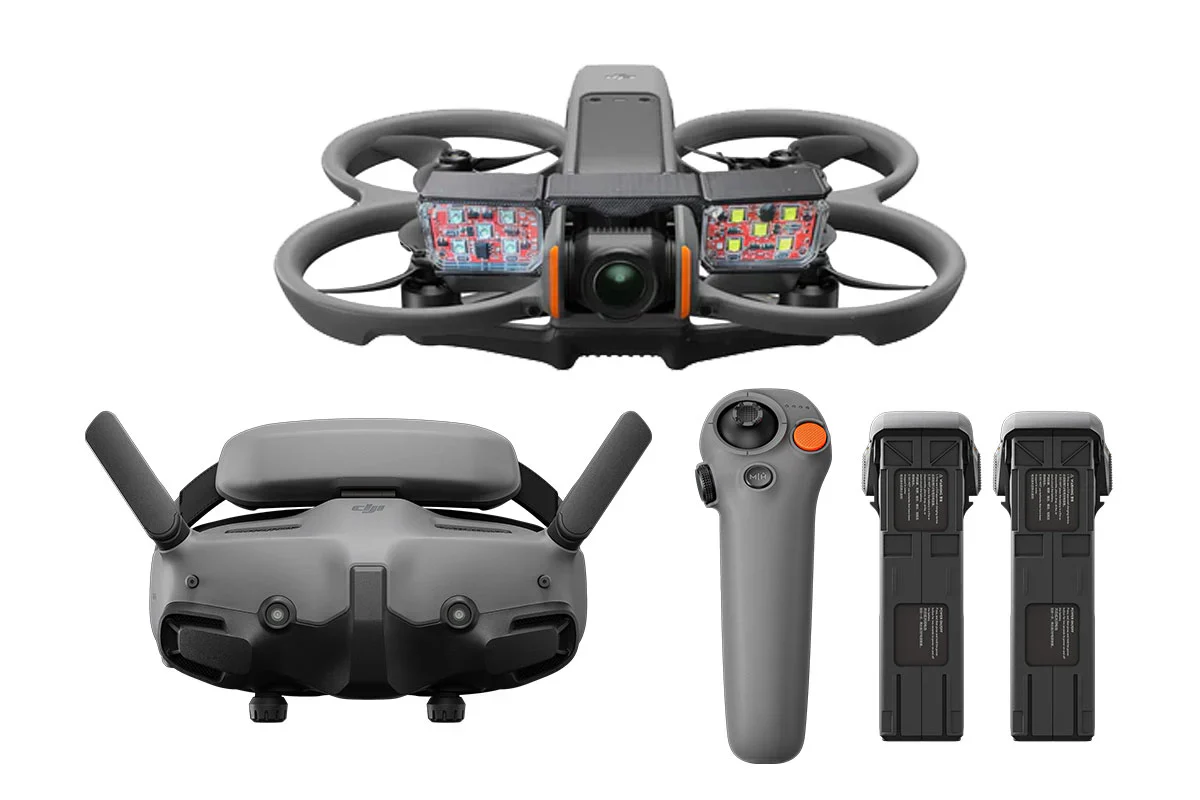
In addition to the Mavic Mini, you get a remote controller, rechargeable battery, recharging cord, wall-outlet recharger, screwdriver for propellers, and carrying case.
Included Controller
The remote controller links effortlessly to the drone on startup. It uses the downloadable DJI Fly app. Twin joysticks give complete directional control. When you attach your smartphone, you see live video streamed in 720p high-definition, information such as GPS location and speed, and command buttons. Press one button for takeoff, another for landing, one for Return To Home and another to see how much battery power is left.
The controller folds and the control sticks remove for easier storage and carrying.

Link Your Smartphone
To see what the Mavic Mini sees, attach your smartphone to the included remote controller. The controller adjusts to hold any compatible phone from .255 to .34 inches thick and up to 6.3 inches long. You may have to remove thick cases—no big deal. Phones that operate on iOS v10.0 or later or Android v6.0 or later are compatible.
Save photos and videos to your phone and edit them on the DJI Fly app, then share.

Quality Camera
Mavic Mini has a high-performance camera to capture your adventures. Video is recorded in 2.7K high-definition at 30 frames per second. Stills are a sharp 12MP. Shutter speeds as fast as 1/8000 second freeze action. Everything is captured through a big 1/2.3-inch CMOS sensor.
The field of view is 83 degrees from a lens that is equivalent to 24mm in a 35mm format, an angle wide enough to capture big groups and plenty of scenery. Closer shots are accomplished by flying the drone nearer to the subject— when it’s safe to do so.
Shake-Free Video
Mavic Mini’s camera is attached to a tiny motorized gimbal that cancels out drone movements on three axes. Even though the drone may be moving slightly while hovering, the camera is held steady. Video is stabilized, appearing smooth and shake-free. It’s a small-scale version of the same process that Hollywood filmmakers use. Gimbals are more precise than digital stabilization, which is more common on drones in this price range
Rich Stills
Mavic Mini’s 12MP stills are crystal clear and blur-free. DJI firmware makes details stand out, not wash out. Colors pop, making subjects look like they do to the human eye. Your girlfriend’s smile will be just as white, your boyfriend’s eyes just as blue, and a child’s hair just as brown and curly as in real life.
Want more than one shot? Mavic Mini’s camera can shoot stills at preset intervals, from every 2 to every 60 seconds.
Storing Images
The DJI Fly app lets you store video and stills in your controller-connected smartphone.
To make Mavic Mini store your photos and video internally, just insert a microSD card that you supply. A card slot is under the battery lid. Slip the card in, then snap the battery cover closed. Cards storing up to 256GB are available.
Edit Your Images
Using the included DJI Fly app, edit videos and stills to your liking. Add or remove music or apply templates.
Help From GPS
Satellite positioning with GPS—the same technology that sends you accurate directions while you’re driving—helps to simplify flight by:
- Letting you tell Mini how high and far to fly.
- Telling you where Mini is.
- Allowing Mini to fly back to the same spot it was when you interrupted flight to replace the battery.
- Memorizing the drone’s safe route, enabling it to return home with one touch of the Return To Home command.
- Helping Mavic Mini automatically land within inches of the spot where it took off. If Mini’s down-facing sensors determine that it’s not safe to land, Mini tells you so you can move it a few inches or feet and bring it down safely by using the controller.
QuickShots Flight Programs
Mavic Mini will help you take creative selfies and other interesting video. QuickShots pilot assist programs do the hard part:
Dronie. The camera locks onto the subject, backs up and flies upward as high as you choose, from 40 to 120 feet.
Rocket. The camera locks on the subject and flies straight up to a distance you set between 40 and 120 feet.
Circle. Set the distance and altitude and Mavic Mini will circle your subject.
Helix. Set the altitude between 40 and 120 feet and Mini will fly up and away to that distance, circling the subject.
Of course, you can manually control the drone if you want a selfie that shows you and your friends or family. Move the drone back to get in more of the scenery that you’re enjoying, or closer for a tighter shot.
Cool Accessories
Drone Nerds has Mavic Mini accessories:
- An extra Mavic Mini Intelligent Flight Battery means more airtime and less waiting for a charged battery.
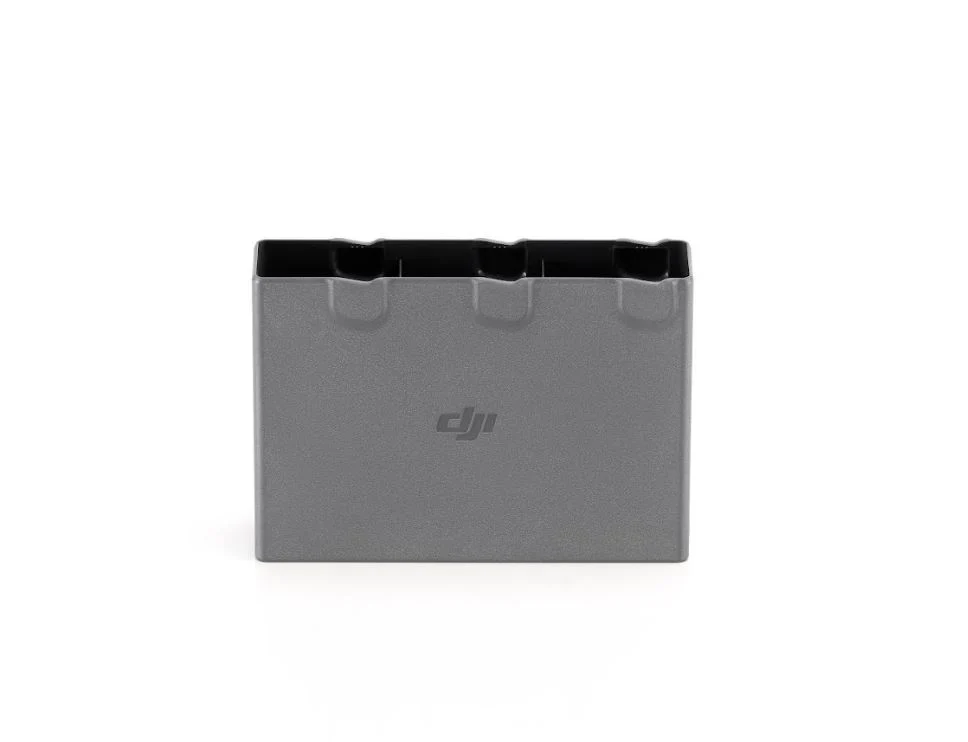
- The Mavic Mini Two-Way Charging Bank can replenish up to three Intelligent Flight Batteries at a time and charge external devices, including your phone.
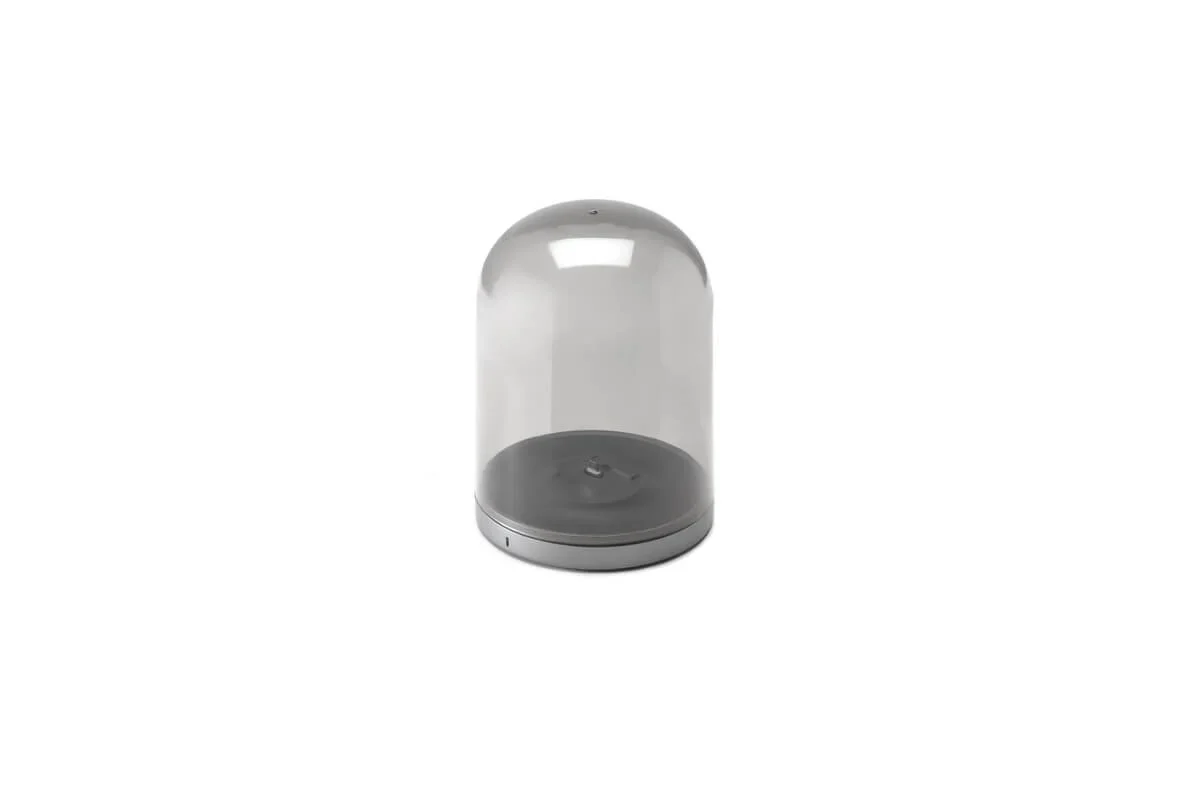
- A stylish charging base keeps your drone primed for flight and on display at home.
- Recommended for indoor flight, a 360-degre propeller guard protects props and your drone against damage from barriers or crashes.
- The Mavic Mini DIY Creative Kit includes stickers and color markers to dress up your Mini, and wipes to erase your handiwork and apply a new look.
- The Snap Adapter includes small attachments for more fun, including an LCD screen for messages, 2 erasable pens and a building block.
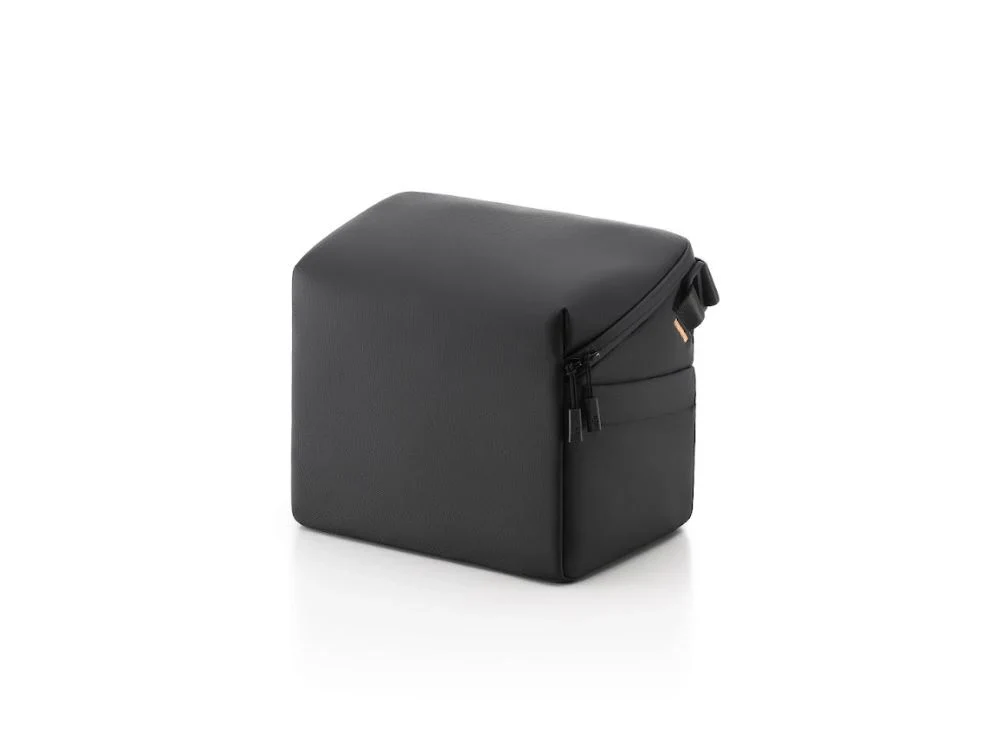
- Mavic Mini Bag holds the Mini, controller, two-way charging bank, extra batteries and other accessories.
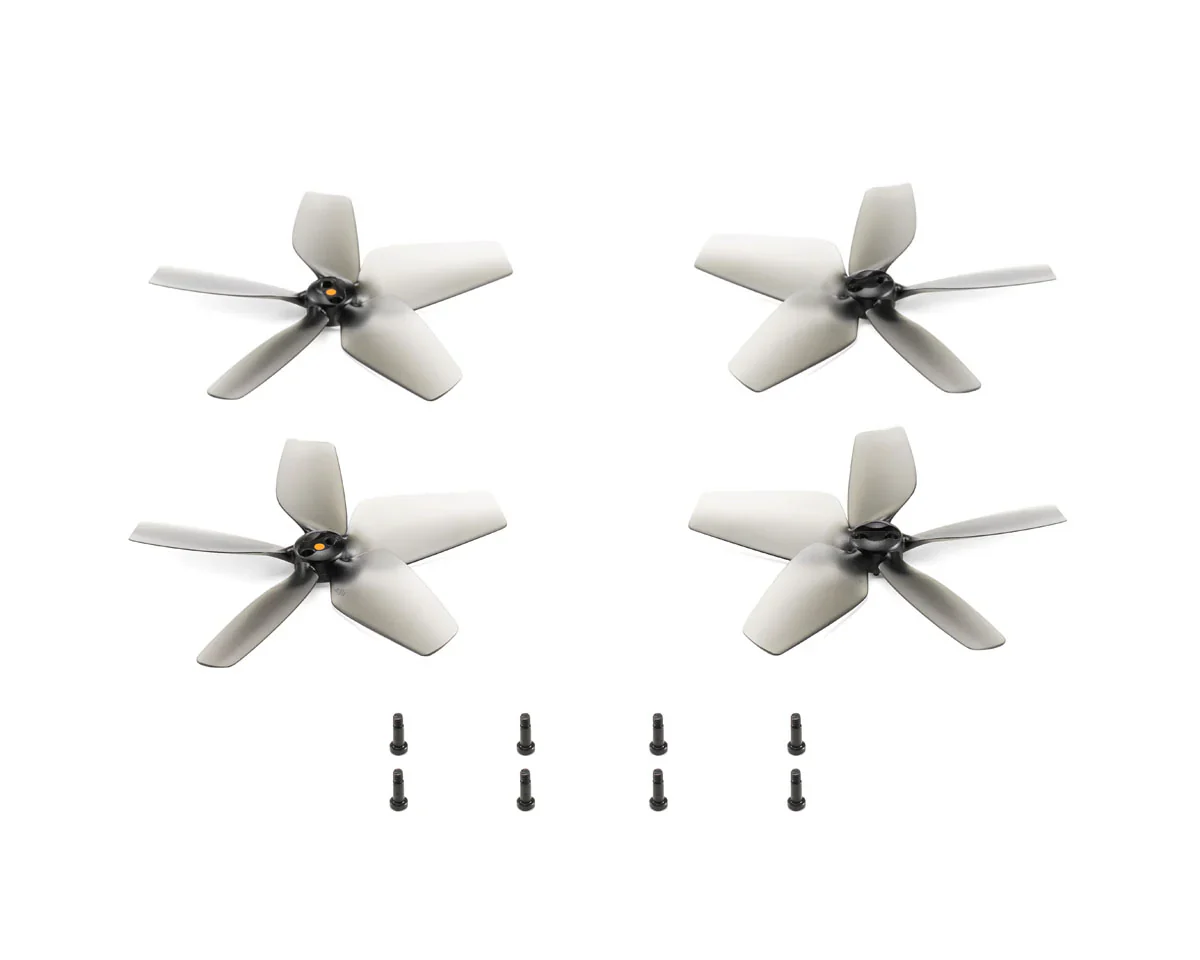
- Spare propellers provide two pairs of propellers and screws, including extra screws.
- Spare control sticks make sure your controller is always ready to go.
In the Box:
- Aircraft
- Gimbal Protector*
- Intelligent Flight Battery x 2
- Remote Controller
- Pair of Spare Propellers
- Micro USB Cable
- RC Cable (Micro USB connector)*
- RC Cable (USB-C connector)*
- RC Cable (Lightning connector)*
- Pair of Spare Control Sticks*
- Screwdriver*
- Spare Screw*
- DJI Mavic Mini Charging Hub
- Spare Screw*
- Bell Jar ×1
- Charging Base ×1
- Magnetic Micro USB ×1
Product Specifications
DJI Mavic Mini Bundle with Charging Base and Extra Battery Product Specifications
| Attribute | Details |
|---|---|
| Product Name | DJI Mavic Mini Hub Bundle |
| Short Description | Special bundle includes a Charging Base and an extra battery. |
| SKU | MAVMINI-HUBBUNDLE |
| Manufacturer | DJI |
| UPC | 190021338968 |
| Open Box | No |
| Video Resolution | 2.7K |
Product Manual
N/A
Product Warranty
DJI Product Warranty
These DJI After-Sales Policies (these “Policies”) only apply to DJI products (excl. DJI Dock) you purchased from DJI authorized retailers for your own use and not for resale.
These Policies are available in other languages at http://www.dji.com/service. In the event of a conflict between different translations of these terms, the English version shall prevail.
By using your DJI product, you agree to be bound by these Policies. If you are not eligible or do not agree to any of the Terms, do not use your DJI product. You may be entitled to a full refund of your purchase of the Product if you return the inactivated Product in accordance with the Part II of these Policies.
What is Covered
Under this Limited Warranty, DJI warrants that each DJI product (excl. DJI Dock) that you purchase will be free from material and workmanship defects under normal use in accordance with DJI’s published product materials during the warranty period. DJI’s published product materials include, but not limited to, user manuals, safety guidelines, specifications, in-app notifications, and service communications.
The warranty period for different products and parts vary, please check http://www.dji.com/service to verify the duration of the warranty for your particular product or parts. The warranty period for a product starts on the day following the delivery date, If you cannot provide invoice or other valid proof of purchase, then the warranty period will start from 90 days after the shipping date that shows on the product, unless otherwise agreed upon between you and DJI.
How to Obtain Warranty Service
If a product does not function as warranted during the warranty period, you may obtain after-sales service by contacting DJI’s local service center as provided in Part III of these Policies or through http://www.dji.com/support . You will need to provide a valid proof-of-purchase, receipt or order number (for DJI Direct Sales) for the warranty service.
Charges may apply for services not covered by this Limited Warranty. Please contact DJI for information specific to your location.
Please note that the warranty service is only available in the respective DJI service regions where you purchased your DJI product.
What Will DJI Do
DJI will attempt to diagnose and resolve your problem by telephone, e-mail or online chat. DJI may direct you to download and install particular software updates.
If your problem cannot be resolved over the telephone or through the application of software updates, you may be required to deliver the product to DJI for further examination. DJI will arrange for repair or replacement service at no cost if the problem falls under this Limited Warranty.
What These After-Sales Policies Do Not Cover
These policies do not cover the following:
× Crashes or fire damage caused by non-manufacturing factors, including but not limited to, pilot errors.
× Damage caused by unauthorized modification, disassembly, or shell opening not in accordance with DJI’s official instructions or manuals.
× Damage caused by improper installation, incorrect use, or operation not in accordance with DJI’s official instructions or manuals.
× Damage caused by an unauthorized service provider.
× Damage caused by an unauthorized modification of circuits, mismatch, or misuse of battery and charger.
× Damage caused by flights not following recommended instruction manuals.
× Damage caused by operating the product in bad weather (i.e. strong wind, rain, sand or dust storm, etc.).
× Damage caused by operating the product in a surrounding environment with electromagnetic interference (i.e. mining areas, areas with radio transmission towers or high-voltage wires nearby, substations, etc.).
× Damage caused by operating the product in a surrounding environment with wireless interference (i.e. transmitters, video links, Wi-Fi devices, etc.).
× Damage caused by operating the product at a weight greater than the safe takeoff weight as specified in the instruction manuals.
× Damage caused by a forced flight when components have aged or been damaged.
× Damage caused by a reliability or compatibility issue due to use of unauthenticated third-party parts.
× Damage caused by operating the product with a defective battery or at low battery.
× Uninterrupted or error-free operations on the product.
× Loss of, or damage to, your data saved in your product.
× Not provided flight logs which are used for accident data analysis.
× Any software, whether provided with the product or installed subsequently.
× Failures or damage caused by any third-party products, including the products or accessories provided or integrated into your product by DJI at your request.
× Any technical or other support, such as assistance with “how-to” questions or inaccurate product set-up and installation.
× Products or parts with an altered identification label or from which the identification label has been removed.
Limitation of Liability
When receiving service, DJI is responsible for loss or damage to your product only while it is in DJI's possession or in transit, if DJI is responsible for transportation.
Dji is not responsible for loss or disclosure of any data, including confidential information, proprietary information, or personal information, contained in a product.
Dji will not be liable for any failure or delay in performance due to causes beyond DJI's reasonable control (such as fire, explosion, power blackout, earthquake, flood, severe storms, strike, embargo, labor disputes, acts of civil or military authority, war, terrorism (including cyber terrorism), acts of God, acts or omissions of Internet traffic carriers, actions or omissions of regulatory or governmental bodies (including the passage of laws or regulations or other acts of government that impact the delivery of Services)).
Under no circumstances, and notwithstanding the failure of essential purpose of any remedy set forth herein, shall DJI, its affiliates, suppliers, resellers, or service providers be liable for any of the following even if informed of their possibility and regardless of whether the claim is based in contract, warranty, negligence, strict liability or other theory of liability: 1) third party claims against you for damages; 2) loss, damage or disclosure of your data; 3) special, incidental, punitive, indirect or consequential damages, including but not limited to lost profits, business revenue, goodwill or anticipated savings. In no case shall the total liability of DJI, its affiliates, suppliers, resellers, or service providers for damages from any cause exceed the amount of actual direct damages, not to exceed the amount paid for the product.
The foregoing limitation does not apply to damages for bodily injury (including death), damage to real property or damage to tangible personal property for which DJI is liable under law.
As some states or jurisdictions do not allow the exclusion or limitation of incidental or consequential damages, the above limitation or exclusion may not apply to you.
Limitation Of Warranty
To the extent permitted by law, except as expressly provided in this limited warranty, DJI disclaims all warranties of any kind, whether statutory, express or implied, including: (a) any implied warranty of merchantability, fitness for a particular purpose, title, quiet enjoyment, or non-infringement; and (b) any warranty arising out of course of dealing, usage, or trade. The DJI entities do not warrant, except as expressly provided in DJI limited warranty, that the product, product accessories, or any portion of the product, or any materials, will be uninterrupted, secure, or free of errors, viruses, or other harmful components..
Should such warranties cannot be disclaimed, DJI limits the duration and remedies of such warranties to the duration of this express warranty and, at DJI's option, the repair or replacement services provided in this limited warranty.
Some jurisdictions may prohibit a disclaimer of warranties and you may have other rights that vary from jurisdiction to jurisdiction
Your Other Rights
This Limited Warranty provides you with extra and specific legal rights. You may have other rights according to the applicable laws of your state or jurisdiction. You may also have other rights under a written agreement with DJI. Nothing in this Limited Warranty affects your statutory rights, including rights of consumers under laws or regulations governing the sale of consumer products that cannot be waived or limited by agreement.
DJI Warranty
Product FAQs
N/A
Product Information
Product Information
Shipping & Returns
Shipping & Returns
Description
DJI Mavic Mini Bundle with Charging Base and Extra Battery
Description
This product does not qualify for FREE SHIPPING. Flat shipping rate is applied.
DJI Mavic Mini Quadcopter - The Everyday Flycam
Mavic Mini is an easy-to-use, affordable flying camera for capturing all your fun. Truly compact, portable consumer quadcopters have been around—but not with the performance of the Mavic Mini from DJI, the world’s leader in reliable, feature-filled drones. Mavic Mini folds to fit in a backpack, jacket or cargo pants pocket and weighs little more than your smartphone.
Mini is fast and goes exactly where you want because controls are simple and GPS is built in. It records high-definition, shake-free video and clear still photos, as you’d expect from DJI. And at 249 grams, or less than 8.8 ounces, the Mavic Mini is exempt from federal regulations, so you don’t even have to register it.
Mavic Mini features:
- Lightweight: Just over ½ lb.
- Pocket size: 5.5x3.3x2.2 in. folded
- Flight time: Up to 30 minutes
- Range: 2.48 miles
- Shake-free: 3-axis gimbal for smooth video
- Quality video: 2.7K high-definition
- Sharp stills: 12MP
- Sharing: Easy recording, editing
- Simple controls: 2-stick controller that links to and holds your smartphone
Everything You Need To Fly
In addition to the Mavic Mini, you get a remote controller, rechargeable battery, recharging cord, wall-outlet recharger, screwdriver for propellers, and carrying case.
Included Controller
The remote controller links effortlessly to the drone on startup. It uses the downloadable DJI Fly app. Twin joysticks give complete directional control. When you attach your smartphone, you see live video streamed in 720p high-definition, information such as GPS location and speed, and command buttons. Press one button for takeoff, another for landing, one for Return To Home and another to see how much battery power is left.
The controller folds and the control sticks remove for easier storage and carrying.
Link Your Smartphone
To see what the Mavic Mini sees, attach your smartphone to the included remote controller. The controller adjusts to hold any compatible phone from .255 to .34 inches thick and up to 6.3 inches long. You may have to remove thick cases—no big deal. Phones that operate on iOS v10.0 or later or Android v6.0 or later are compatible.
Save photos and videos to your phone and edit them on the DJI Fly app, then share.
Quality Camera
Mavic Mini has a high-performance camera to capture your adventures. Video is recorded in 2.7K high-definition at 30 frames per second. Stills are a sharp 12MP. Shutter speeds as fast as 1/8000 second freeze action. Everything is captured through a big 1/2.3-inch CMOS sensor.
The field of view is 83 degrees from a lens that is equivalent to 24mm in a 35mm format, an angle wide enough to capture big groups and plenty of scenery. Closer shots are accomplished by flying the drone nearer to the subject— when it’s safe to do so.
Shake-Free Video
Mavic Mini’s camera is attached to a tiny motorized gimbal that cancels out drone movements on three axes. Even though the drone may be moving slightly while hovering, the camera is held steady. Video is stabilized, appearing smooth and shake-free. It’s a small-scale version of the same process that Hollywood filmmakers use. Gimbals are more precise than digital stabilization, which is more common on drones in this price range
Rich Stills
Mavic Mini’s 12MP stills are crystal clear and blur-free. DJI firmware makes details stand out, not wash out. Colors pop, making subjects look like they do to the human eye. Your girlfriend’s smile will be just as white, your boyfriend’s eyes just as blue, and a child’s hair just as brown and curly as in real life.
Want more than one shot? Mavic Mini’s camera can shoot stills at preset intervals, from every 2 to every 60 seconds.
Storing Images
The DJI Fly app lets you store video and stills in your controller-connected smartphone.
To make Mavic Mini store your photos and video internally, just insert a microSD card that you supply. A card slot is under the battery lid. Slip the card in, then snap the battery cover closed. Cards storing up to 256GB are available.
Edit Your Images
Using the included DJI Fly app, edit videos and stills to your liking. Add or remove music or apply templates.
Help From GPS
Satellite positioning with GPS—the same technology that sends you accurate directions while you’re driving—helps to simplify flight by:
- Letting you tell Mini how high and far to fly.
- Telling you where Mini is.
- Allowing Mini to fly back to the same spot it was when you interrupted flight to replace the battery.
- Memorizing the drone’s safe route, enabling it to return home with one touch of the Return To Home command.
- Helping Mavic Mini automatically land within inches of the spot where it took off. If Mini’s down-facing sensors determine that it’s not safe to land, Mini tells you so you can move it a few inches or feet and bring it down safely by using the controller.
QuickShots Flight Programs
Mavic Mini will help you take creative selfies and other interesting video. QuickShots pilot assist programs do the hard part:
Dronie. The camera locks onto the subject, backs up and flies upward as high as you choose, from 40 to 120 feet.
Rocket. The camera locks on the subject and flies straight up to a distance you set between 40 and 120 feet.
Circle. Set the distance and altitude and Mavic Mini will circle your subject.
Helix. Set the altitude between 40 and 120 feet and Mini will fly up and away to that distance, circling the subject.
Of course, you can manually control the drone if you want a selfie that shows you and your friends or family. Move the drone back to get in more of the scenery that you’re enjoying, or closer for a tighter shot.
Cool Accessories
Drone Nerds has Mavic Mini accessories:
- An extra Mavic Mini Intelligent Flight Battery means more airtime and less waiting for a charged battery.
- The Mavic Mini Two-Way Charging Bank can replenish up to three Intelligent Flight Batteries at a time and charge external devices, including your phone.
- A stylish charging base keeps your drone primed for flight and on display at home.
- Recommended for indoor flight, a 360-degre propeller guard protects props and your drone against damage from barriers or crashes.
- The Mavic Mini DIY Creative Kit includes stickers and color markers to dress up your Mini, and wipes to erase your handiwork and apply a new look.
- The Snap Adapter includes small attachments for more fun, including an LCD screen for messages, 2 erasable pens and a building block.
- Mavic Mini Bag holds the Mini, controller, two-way charging bank, extra batteries and other accessories.
- Spare propellers provide two pairs of propellers and screws, including extra screws.
- Spare control sticks make sure your controller is always ready to go.
In the Box:
- Aircraft
- Gimbal Protector*
- Intelligent Flight Battery x 2
- Remote Controller
- Pair of Spare Propellers
- Micro USB Cable
- RC Cable (Micro USB connector)*
- RC Cable (USB-C connector)*
- RC Cable (Lightning connector)*
- Pair of Spare Control Sticks*
- Screwdriver*
- Spare Screw*
- DJI Mavic Mini Charging Hub
- Spare Screw*
- Bell Jar ×1
- Charging Base ×1
- Magnetic Micro USB ×1
Product Specifications
DJI Mavic Mini Bundle with Charging Base and Extra Battery Product Specifications
| Attribute | Details |
|---|---|
| Product Name | DJI Mavic Mini Hub Bundle |
| Short Description | Special bundle includes a Charging Base and an extra battery. |
| SKU | MAVMINI-HUBBUNDLE |
| Manufacturer | DJI |
| UPC | 190021338968 |
| Open Box | No |
| Video Resolution | 2.7K |
Product Manual
N/A
Product Warranty
DJI Product Warranty
These DJI After-Sales Policies (these “Policies”) only apply to DJI products (excl. DJI Dock) you purchased from DJI authorized retailers for your own use and not for resale.
These Policies are available in other languages at http://www.dji.com/service. In the event of a conflict between different translations of these terms, the English version shall prevail.
By using your DJI product, you agree to be bound by these Policies. If you are not eligible or do not agree to any of the Terms, do not use your DJI product. You may be entitled to a full refund of your purchase of the Product if you return the inactivated Product in accordance with the Part II of these Policies.
What is Covered
Under this Limited Warranty, DJI warrants that each DJI product (excl. DJI Dock) that you purchase will be free from material and workmanship defects under normal use in accordance with DJI’s published product materials during the warranty period. DJI’s published product materials include, but not limited to, user manuals, safety guidelines, specifications, in-app notifications, and service communications.
The warranty period for different products and parts vary, please check http://www.dji.com/service to verify the duration of the warranty for your particular product or parts. The warranty period for a product starts on the day following the delivery date, If you cannot provide invoice or other valid proof of purchase, then the warranty period will start from 90 days after the shipping date that shows on the product, unless otherwise agreed upon between you and DJI.
How to Obtain Warranty Service
If a product does not function as warranted during the warranty period, you may obtain after-sales service by contacting DJI’s local service center as provided in Part III of these Policies or through http://www.dji.com/support . You will need to provide a valid proof-of-purchase, receipt or order number (for DJI Direct Sales) for the warranty service.
Charges may apply for services not covered by this Limited Warranty. Please contact DJI for information specific to your location.
Please note that the warranty service is only available in the respective DJI service regions where you purchased your DJI product.
What Will DJI Do
DJI will attempt to diagnose and resolve your problem by telephone, e-mail or online chat. DJI may direct you to download and install particular software updates.
If your problem cannot be resolved over the telephone or through the application of software updates, you may be required to deliver the product to DJI for further examination. DJI will arrange for repair or replacement service at no cost if the problem falls under this Limited Warranty.
What These After-Sales Policies Do Not Cover
These policies do not cover the following:
× Crashes or fire damage caused by non-manufacturing factors, including but not limited to, pilot errors.
× Damage caused by unauthorized modification, disassembly, or shell opening not in accordance with DJI’s official instructions or manuals.
× Damage caused by improper installation, incorrect use, or operation not in accordance with DJI’s official instructions or manuals.
× Damage caused by an unauthorized service provider.
× Damage caused by an unauthorized modification of circuits, mismatch, or misuse of battery and charger.
× Damage caused by flights not following recommended instruction manuals.
× Damage caused by operating the product in bad weather (i.e. strong wind, rain, sand or dust storm, etc.).
× Damage caused by operating the product in a surrounding environment with electromagnetic interference (i.e. mining areas, areas with radio transmission towers or high-voltage wires nearby, substations, etc.).
× Damage caused by operating the product in a surrounding environment with wireless interference (i.e. transmitters, video links, Wi-Fi devices, etc.).
× Damage caused by operating the product at a weight greater than the safe takeoff weight as specified in the instruction manuals.
× Damage caused by a forced flight when components have aged or been damaged.
× Damage caused by a reliability or compatibility issue due to use of unauthenticated third-party parts.
× Damage caused by operating the product with a defective battery or at low battery.
× Uninterrupted or error-free operations on the product.
× Loss of, or damage to, your data saved in your product.
× Not provided flight logs which are used for accident data analysis.
× Any software, whether provided with the product or installed subsequently.
× Failures or damage caused by any third-party products, including the products or accessories provided or integrated into your product by DJI at your request.
× Any technical or other support, such as assistance with “how-to” questions or inaccurate product set-up and installation.
× Products or parts with an altered identification label or from which the identification label has been removed.
Limitation of Liability
When receiving service, DJI is responsible for loss or damage to your product only while it is in DJI's possession or in transit, if DJI is responsible for transportation.
Dji is not responsible for loss or disclosure of any data, including confidential information, proprietary information, or personal information, contained in a product.
Dji will not be liable for any failure or delay in performance due to causes beyond DJI's reasonable control (such as fire, explosion, power blackout, earthquake, flood, severe storms, strike, embargo, labor disputes, acts of civil or military authority, war, terrorism (including cyber terrorism), acts of God, acts or omissions of Internet traffic carriers, actions or omissions of regulatory or governmental bodies (including the passage of laws or regulations or other acts of government that impact the delivery of Services)).
Under no circumstances, and notwithstanding the failure of essential purpose of any remedy set forth herein, shall DJI, its affiliates, suppliers, resellers, or service providers be liable for any of the following even if informed of their possibility and regardless of whether the claim is based in contract, warranty, negligence, strict liability or other theory of liability: 1) third party claims against you for damages; 2) loss, damage or disclosure of your data; 3) special, incidental, punitive, indirect or consequential damages, including but not limited to lost profits, business revenue, goodwill or anticipated savings. In no case shall the total liability of DJI, its affiliates, suppliers, resellers, or service providers for damages from any cause exceed the amount of actual direct damages, not to exceed the amount paid for the product.
The foregoing limitation does not apply to damages for bodily injury (including death), damage to real property or damage to tangible personal property for which DJI is liable under law.
As some states or jurisdictions do not allow the exclusion or limitation of incidental or consequential damages, the above limitation or exclusion may not apply to you.
Limitation Of Warranty
To the extent permitted by law, except as expressly provided in this limited warranty, DJI disclaims all warranties of any kind, whether statutory, express or implied, including: (a) any implied warranty of merchantability, fitness for a particular purpose, title, quiet enjoyment, or non-infringement; and (b) any warranty arising out of course of dealing, usage, or trade. The DJI entities do not warrant, except as expressly provided in DJI limited warranty, that the product, product accessories, or any portion of the product, or any materials, will be uninterrupted, secure, or free of errors, viruses, or other harmful components..
Should such warranties cannot be disclaimed, DJI limits the duration and remedies of such warranties to the duration of this express warranty and, at DJI's option, the repair or replacement services provided in this limited warranty.
Some jurisdictions may prohibit a disclaimer of warranties and you may have other rights that vary from jurisdiction to jurisdiction
Your Other Rights
This Limited Warranty provides you with extra and specific legal rights. You may have other rights according to the applicable laws of your state or jurisdiction. You may also have other rights under a written agreement with DJI. Nothing in this Limited Warranty affects your statutory rights, including rights of consumers under laws or regulations governing the sale of consumer products that cannot be waived or limited by agreement.
DJI Warranty
Product FAQs
N/A